> ## Documentation Index
> Fetch the complete documentation index at: https://docs.keywordsai.co/llms.txt
> Use this file to discover all available pages before exploring further.
# Product updates
> New releases and improvements
## New
### Video logging
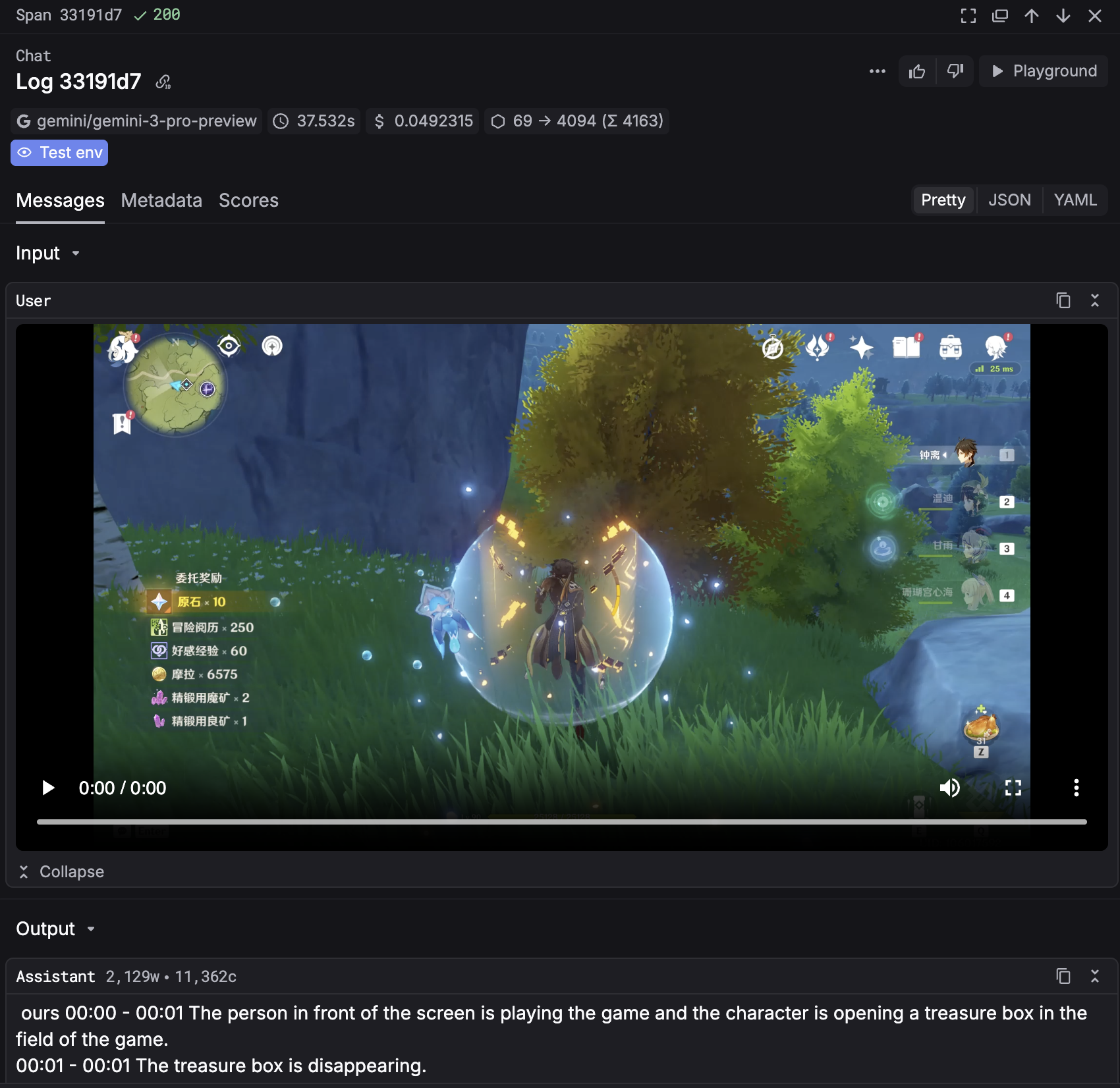
You can now log videos in Keywords AI. Video file like `mp4`, `mov`, `wmv`, `avi`, etc. are supported in Logs, Playground, Prompts, and Experiments.
 ### Log type is available in Logs.
You can now define and check the type of the log in the Logs page where you can filter logs by type.
You can see the definition and classification of the log type [here](/get-started/observability_data_model#log-types).
## Improved
* Improved UI of Evaluators. We have replaced `llm_output` and `llm_input` with `output` and `input` in the evaluator configuration.
* You can now define name for each export in Logs.
## Fixed
* Fixed a bug where custom providers can't be deleted.
* Fixed a bug where commit message was not saved in Prompts.
* Fixed a bug where the first seen timestamp was not accurate in Users.
## New
### Keywords AI 2025 Wrapped is here!
We just launched Keywords AI 2025 Wrapped - a summary of your usage in 2025.
You can see your total usage, top prompts, top users, and more. Check it out [here](https://platform.keywordsai.co/platform/2025).
### Log type is available in Logs.
You can now define and check the type of the log in the Logs page where you can filter logs by type.
You can see the definition and classification of the log type [here](/get-started/observability_data_model#log-types).
## Improved
* Improved UI of Evaluators. We have replaced `llm_output` and `llm_input` with `output` and `input` in the evaluator configuration.
* You can now define name for each export in Logs.
## Fixed
* Fixed a bug where custom providers can't be deleted.
* Fixed a bug where commit message was not saved in Prompts.
* Fixed a bug where the first seen timestamp was not accurate in Users.
## New
### Keywords AI 2025 Wrapped is here!
We just launched Keywords AI 2025 Wrapped - a summary of your usage in 2025.
You can see your total usage, top prompts, top users, and more. Check it out [here](https://platform.keywordsai.co/platform/2025).
 ## Improved
* Improved JSON view in Logs.
* Improved UI of Tree view in Traces - added hightlight for span that is currently selected.
* Improved the workflow of adding custom models and providers.
## Fixed
* Fixed a bug where `Clear filters` button didn't work in Logs.
* Fixed a bug where filters didn't work properly when applied multiple filters in Logs.
* Fixed a bug where `Save as prompt` didn't work in Logs.
* Fixed a bug where `Feedback` didn't work properly in Logs.
* Fixed a bug where average monthly cost for users is inaccurate in Users.
## New
### Custom model in Playground
You can now call your custom models in the Playground. Add custom models through Keywords AI Models page and call them through LLM gateway and Playground.
## Improved
* Improved JSON view in Logs.
* Improved UI of Tree view in Traces - added hightlight for span that is currently selected.
* Improved the workflow of adding custom models and providers.
## Fixed
* Fixed a bug where `Clear filters` button didn't work in Logs.
* Fixed a bug where filters didn't work properly when applied multiple filters in Logs.
* Fixed a bug where `Save as prompt` didn't work in Logs.
* Fixed a bug where `Feedback` didn't work properly in Logs.
* Fixed a bug where average monthly cost for users is inaccurate in Users.
## New
### Custom model in Playground
You can now call your custom models in the Playground. Add custom models through Keywords AI Models page and call them through LLM gateway and Playground.
 ### YAML and Tree view mode for all side panels
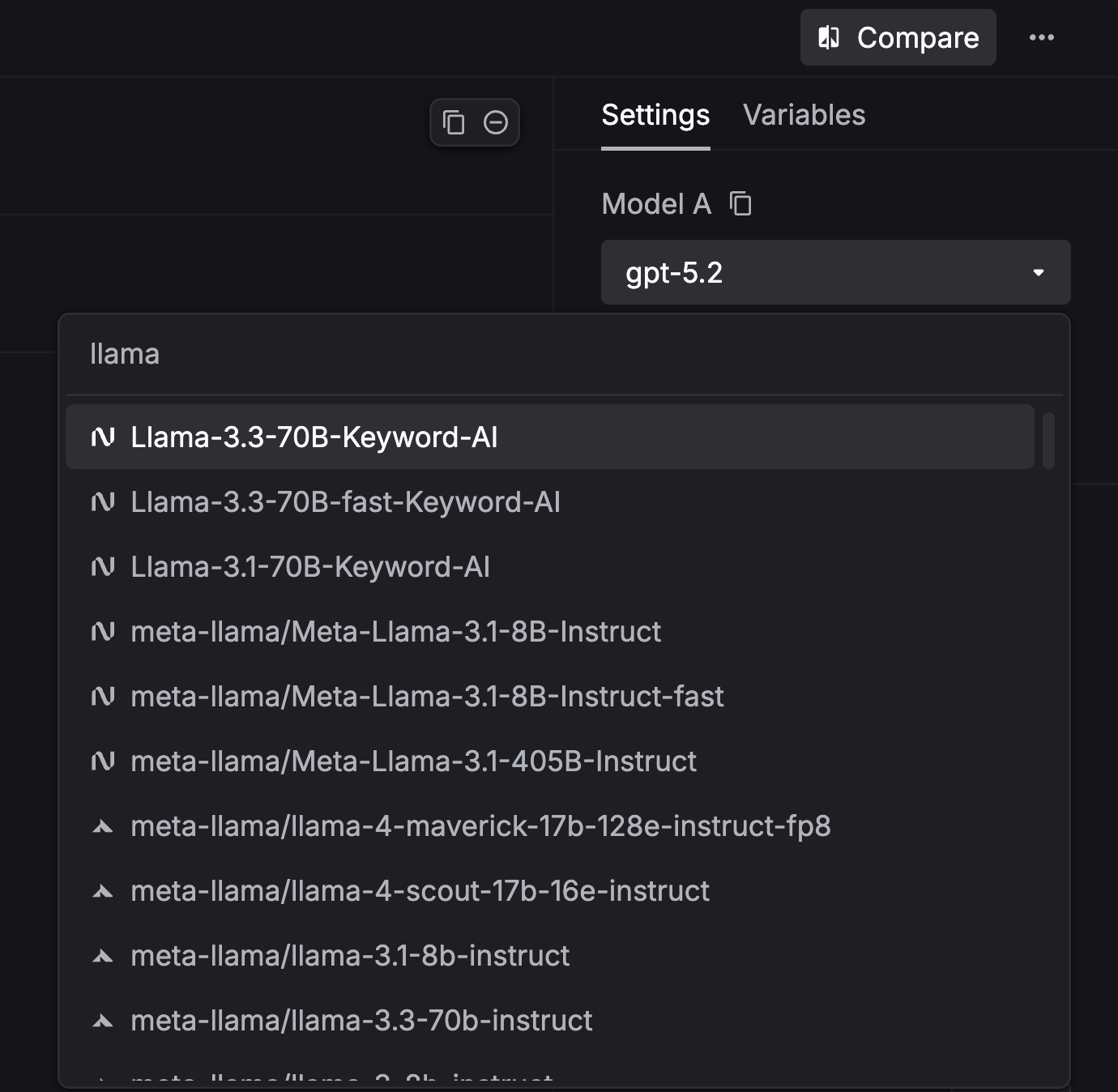
YAML and Tree view mode are now available for all side panels in the platform, including Logs, Traces, Threads, and Scores.
## Improved
* Added `Log type`, `Streamed`, `Input tokens`, and `Output tokens` to the Side panel in Logs.
* Improved JSON view in Logs.
* Added `Xhigh` reasoning effort option for GPT-5.2 models in Prompts & Playground.
* Improved UI of side panel in Logs.
* Improved UX of Customer LLM provider page.
## Fixed
* Fixed a bug where applies wrong filter when clicking on Top users in Dashboard.
* Fixed a bug where `This week` view has less datapoints than expected.
## New
### Click through from the top prompt graph
The top prompt graph is now clickable - select any prompt to jump straight to its prompt details page. This makes it faster to investigate spikes, compare versions, and debug results without leaving the dashboard.
### YAML and Tree view mode for logs
You can now switch log data between Formatted, JSON, YAML, and Tree views in the side panel. Your selection is saved as a preference and persists across sessions.
### YAML and Tree view mode for all side panels
YAML and Tree view mode are now available for all side panels in the platform, including Logs, Traces, Threads, and Scores.
## Improved
* Added `Log type`, `Streamed`, `Input tokens`, and `Output tokens` to the Side panel in Logs.
* Improved JSON view in Logs.
* Added `Xhigh` reasoning effort option for GPT-5.2 models in Prompts & Playground.
* Improved UI of side panel in Logs.
* Improved UX of Customer LLM provider page.
## Fixed
* Fixed a bug where applies wrong filter when clicking on Top users in Dashboard.
* Fixed a bug where `This week` view has less datapoints than expected.
## New
### Click through from the top prompt graph
The top prompt graph is now clickable - select any prompt to jump straight to its prompt details page. This makes it faster to investigate spikes, compare versions, and debug results without leaving the dashboard.
### YAML and Tree view mode for logs
You can now switch log data between Formatted, JSON, YAML, and Tree views in the side panel. Your selection is saved as a preference and persists across sessions.
 ### Google Gemini 3 Flash support
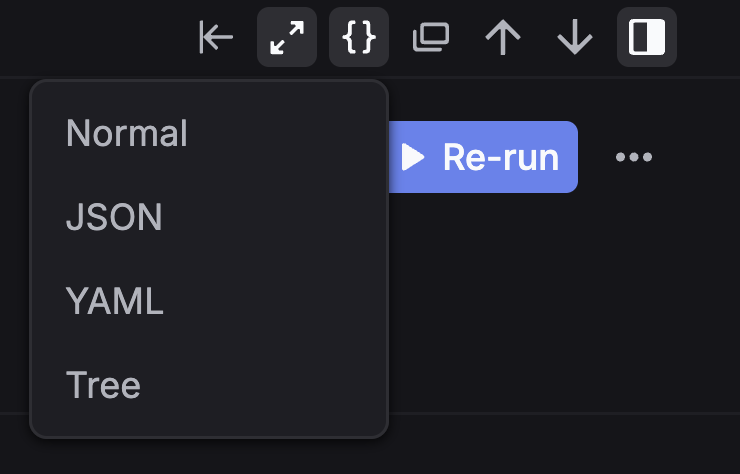
Keywords AI now supports Gemini 3 Flash across the product, including the LLM Gateway, Playground, Prompts, and Experiments.
### Increased LLM Gateway rate limit for Team plan
We’ve increased the Team plan rate limit for the LLM Gateway to 15,000 requests per minute.
## Improved
* Added `reasoning effort` option for GPT-5.2 models in Prompts & Experiments.
* Added `This week` option in Dashboard.
* Improved the model selection UI in Prompts.
* Improved filtering in Logs.
## Fixed
* Fixed a bug in the Dashboard where the cost chart was inconsistent with other charts.
* Fixed a bug where Customer name and email were not displayed in the side panel in Logs.
* Fixed a bug where the filter didn't work when the workflow name contained a `.` character.
* Fixed a bug where `tool_choice` was always set to `auto` in Prompts.
* Fixed a bug where `View code` in Prompts was inaccurate.
* Fixed a bug where Comments were not saved in Prompts.
* Fixed a bug where sorting didn't work in Users.
* Fixed a bug where `customer_identifier` did not work when creating a user.
### Google Gemini 3 Flash support
Keywords AI now supports Gemini 3 Flash across the product, including the LLM Gateway, Playground, Prompts, and Experiments.
### Increased LLM Gateway rate limit for Team plan
We’ve increased the Team plan rate limit for the LLM Gateway to 15,000 requests per minute.
## Improved
* Added `reasoning effort` option for GPT-5.2 models in Prompts & Experiments.
* Added `This week` option in Dashboard.
* Improved the model selection UI in Prompts.
* Improved filtering in Logs.
## Fixed
* Fixed a bug in the Dashboard where the cost chart was inconsistent with other charts.
* Fixed a bug where Customer name and email were not displayed in the side panel in Logs.
* Fixed a bug where the filter didn't work when the workflow name contained a `.` character.
* Fixed a bug where `tool_choice` was always set to `auto` in Prompts.
* Fixed a bug where `View code` in Prompts was inaccurate.
* Fixed a bug where Comments were not saved in Prompts.
* Fixed a bug where sorting didn't work in Users.
* Fixed a bug where `customer_identifier` did not work when creating a user.