> ## Documentation Index
> Fetch the complete documentation index at: https://docs.keywordsai.co/llms.txt
> Use this file to discover all available pages before exploring further.
# Upload a testset
> Easily manage and organize test cases. Import a CSV file and edit it like a Google Sheet.
This is a **beta** feature. Please do let us know if you encounter any issues. We'll continuously improve it.
Testsets are a collection of test cases that you can use to evaluate and optimize your LLM outputs. You can import a CSV file and edit it like a Google Sheet. Testsets are useful for running prompts with various dynamic test cases.
## Guide
### Create your test cases in a CSV file.
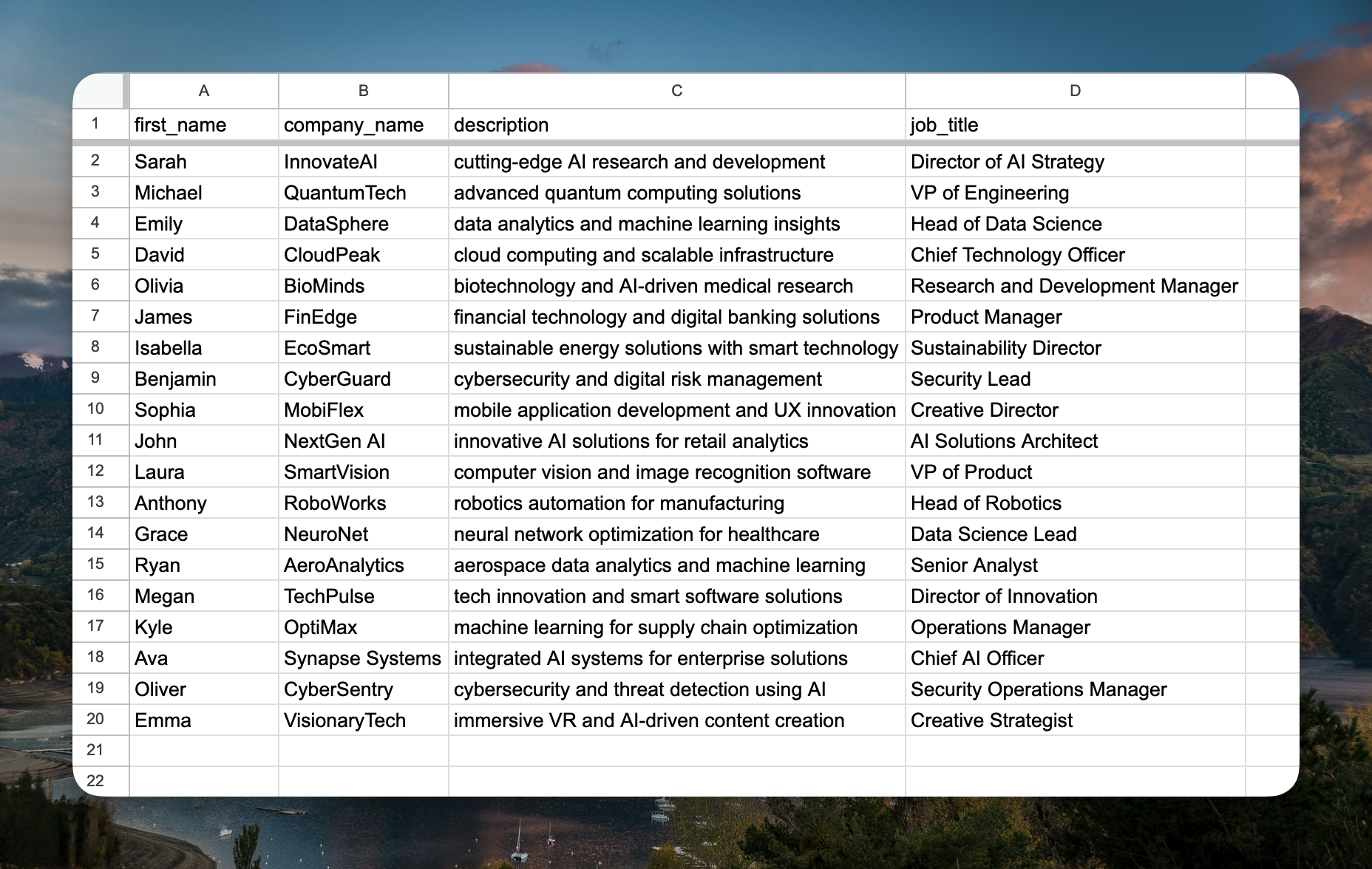
Create a CSV file with columns matching your prompt variables. Each column header should be a variable name (without the `{{}}` syntax). You can include an additional column for expected outputs.
For example, if your prompt uses variables like `{{first_name}}`, `{{description}}`, `{{job_title}}`, and `{{company_name}}`, your CSV should have columns named `first_name`, `description`, `job_title`, and `company_name`.
 ### Import the testset
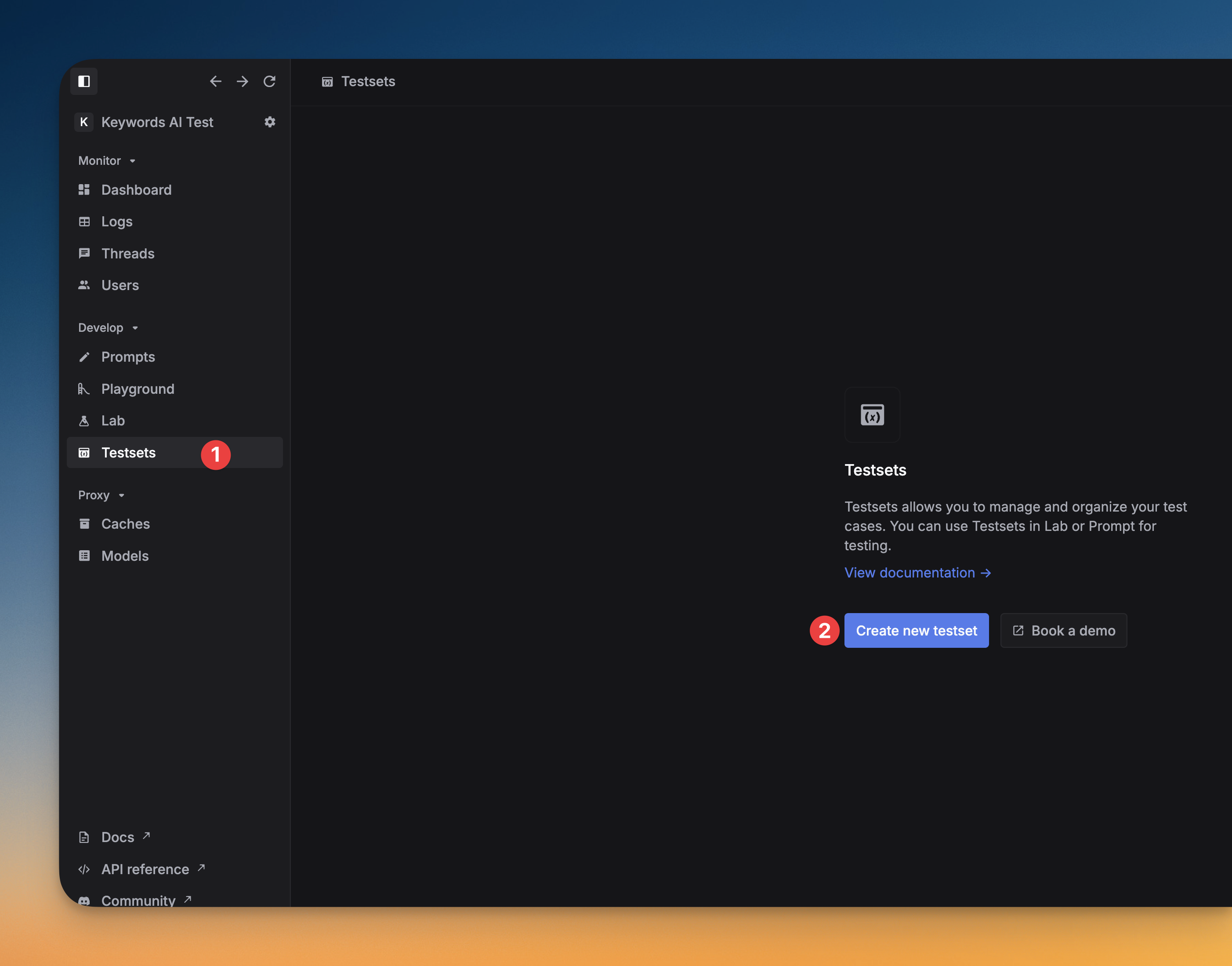
You can import the CSV file and edit it like a Google Sheet. You can add, delete, or edit the test cases in the testset.
### Import the testset
You can import the CSV file and edit it like a Google Sheet. You can add, delete, or edit the test cases in the testset.
 ### Import testsets to Lab
Compare prompts with different test cases and debug the prompts.
You can use the testset in the [Model Playground](/documentation/products/prompt_management/model_playground) to evaluate the prompts with different test cases.
### Import ideal outputs
If you want to include ideal outputs in the testset, you can add a column for the expected output. Name the column `ideal_output`, then the testset will show the ideal output for each test case.
### Import testsets to Lab
Compare prompts with different test cases and debug the prompts.
You can use the testset in the [Model Playground](/documentation/products/prompt_management/model_playground) to evaluate the prompts with different test cases.
### Import ideal outputs
If you want to include ideal outputs in the testset, you can add a column for the expected output. Name the column `ideal_output`, then the testset will show the ideal output for each test case.