> ## Documentation Index
> Fetch the complete documentation index at: https://docs.keywordsai.co/llms.txt
> Use this file to discover all available pages before exploring further.
# Supported models
> Call 200+ LLMs with a single OpenAI compatible format
## Choose a model
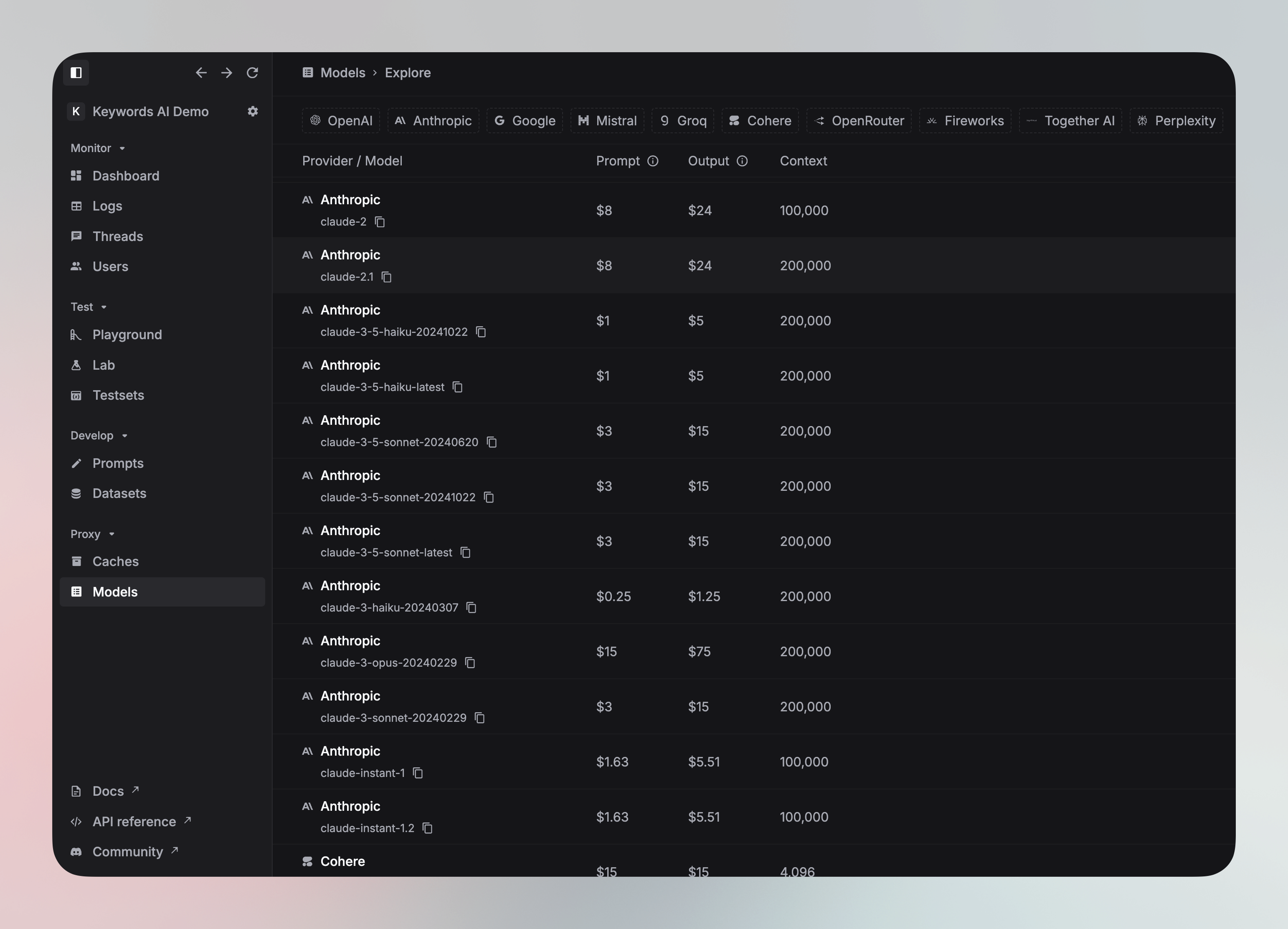
After you integrate the LLM proxy, you can choose a model from the [Models page](https://platform.keywordsai.co/platform/models). In this page, you can see each model's description, pricing, and other metrics, which helps you choose the best model for your use case.
 ### Model family
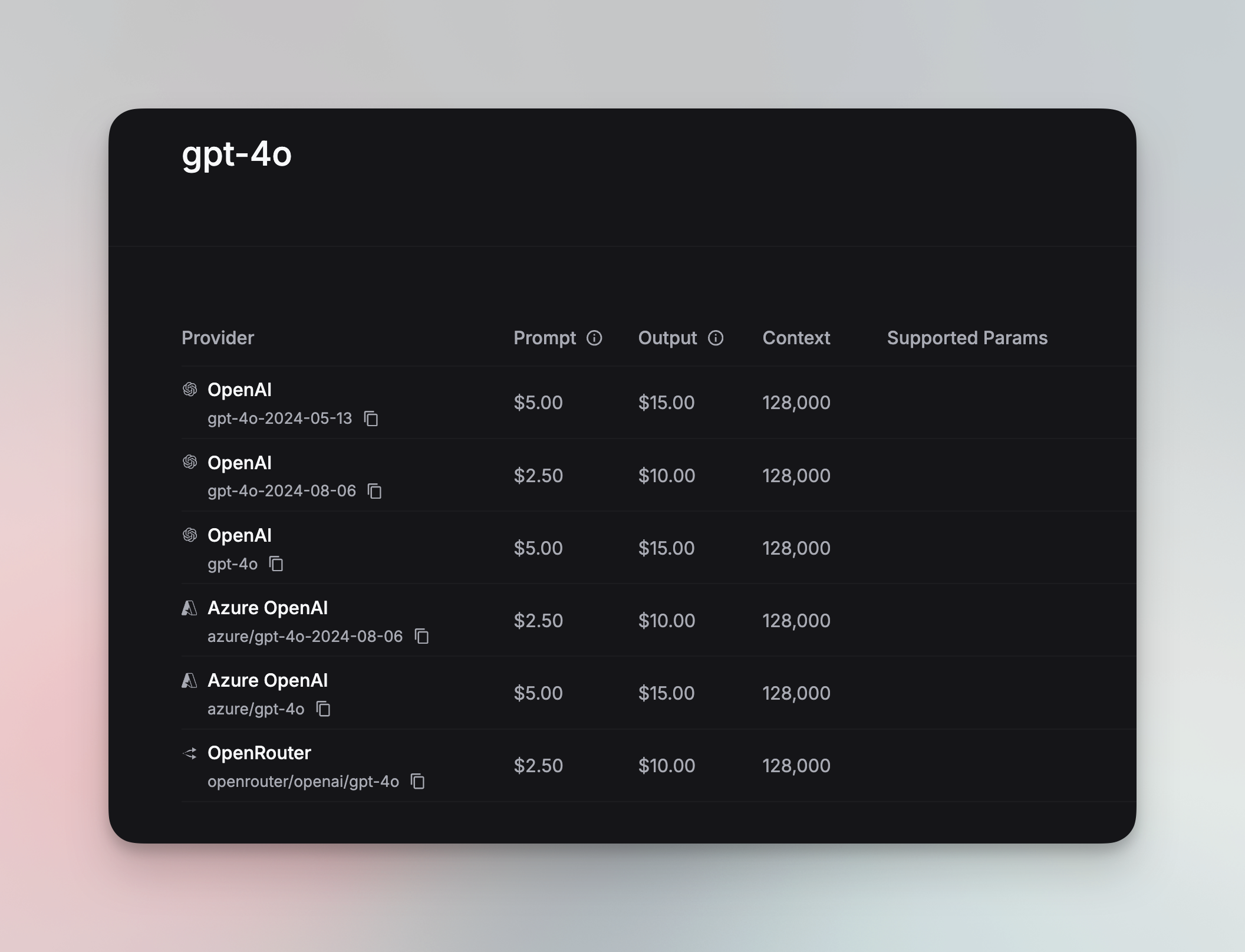
You can also click an exact model to see it's model family, which is a group of models that hosted by the different LLM providers.
### Model family
You can also click an exact model to see it's model family, which is a group of models that hosted by the different LLM providers.
 ### Integration code
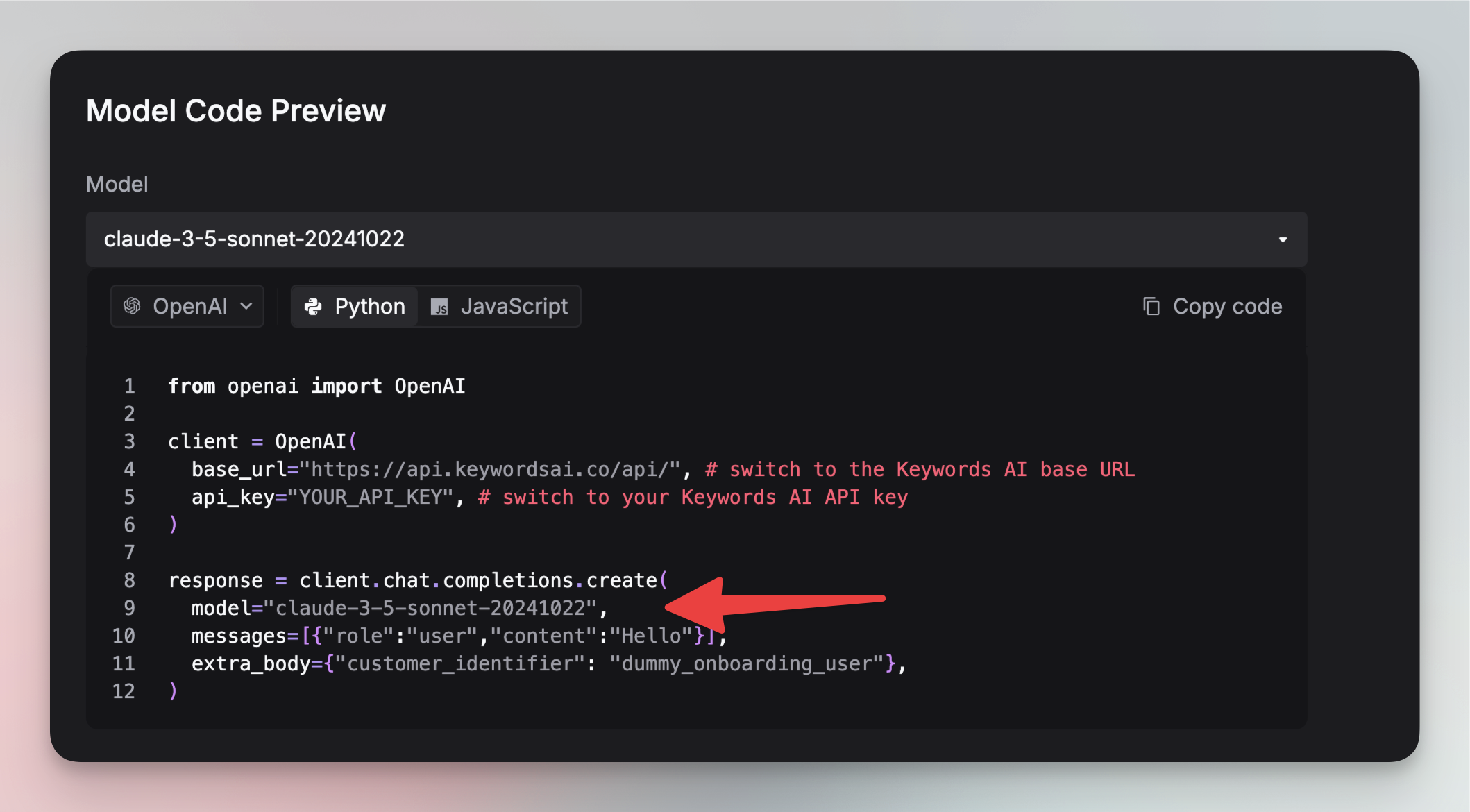
If you have already integrated the LLM proxy, you can click the `Code` button to copy the integration code with the language you are using.
### Integration code
If you have already integrated the LLM proxy, you can click the `Code` button to copy the integration code with the language you are using.
 ## Call models in different frameworks
```python {9} theme={"system"}
from openai import OpenAI
client = OpenAI(
base_url="https://api.keywordsai.co/api/",
api_key="YOUR_KEYWORDSAI_API_KEY",
)
response = client.chat.completions.create(
model="claude-3-5-haiku-20241022",
messages=[
{"role": "user", "content": "Tell me a long story"}
]
)
```
Here is an example of how to disable logging in the OpenAI TypeScript SDK. In OpenAI TypeScript SDK, you should add a `// @ts-expect-error` before the disable\_log field.
```typescript {11} theme={"system"}
import { OpenAI } from "openai";
const client = new OpenAI({
baseURL: "https://api.keywordsai.co/api",
apiKey: "YOUR_KEYWORDSAI_API_KEY",
});
const response = await client.chat.completions
.create({
messages: [{ role: "user", content: "Say this is a test" }],
model: "claude-3-5-sonnet-20241022"
})
.asResponse();
console.log(await response.json());
```
```python {3} theme={"system"}
import requests
def demo_call(input,
model="groq/llama-3.3-70b-specdec",
token="YOUR_KEYWORDS_AI_API_KEY",
):
headers = {
'Content-Type': 'application/json',
'Authorization': f'Bearer {token}',
}
data = {
'model': model,
'messages': [{'role': 'user', 'content': input}],
}
response = requests.post('https://api.keywordsai.co/api/chat/completions', headers=headers, json=data)
return response
messages = "Say 'Hello World'"
print(demo_call(messages).json())
```
We also support adding credentials in other SDKs or languages, please check out our [integration section](/documentation/admin/llm_provider_keys) for more information.
## Call models in different frameworks
```python {9} theme={"system"}
from openai import OpenAI
client = OpenAI(
base_url="https://api.keywordsai.co/api/",
api_key="YOUR_KEYWORDSAI_API_KEY",
)
response = client.chat.completions.create(
model="claude-3-5-haiku-20241022",
messages=[
{"role": "user", "content": "Tell me a long story"}
]
)
```
Here is an example of how to disable logging in the OpenAI TypeScript SDK. In OpenAI TypeScript SDK, you should add a `// @ts-expect-error` before the disable\_log field.
```typescript {11} theme={"system"}
import { OpenAI } from "openai";
const client = new OpenAI({
baseURL: "https://api.keywordsai.co/api",
apiKey: "YOUR_KEYWORDSAI_API_KEY",
});
const response = await client.chat.completions
.create({
messages: [{ role: "user", content: "Say this is a test" }],
model: "claude-3-5-sonnet-20241022"
})
.asResponse();
console.log(await response.json());
```
```python {3} theme={"system"}
import requests
def demo_call(input,
model="groq/llama-3.3-70b-specdec",
token="YOUR_KEYWORDS_AI_API_KEY",
):
headers = {
'Content-Type': 'application/json',
'Authorization': f'Bearer {token}',
}
data = {
'model': model,
'messages': [{'role': 'user', 'content': input}],
}
response = requests.post('https://api.keywordsai.co/api/chat/completions', headers=headers, json=data)
return response
messages = "Say 'Hello World'"
print(demo_call(messages).json())
```
We also support adding credentials in other SDKs or languages, please check out our [integration section](/documentation/admin/llm_provider_keys) for more information.