> ## Documentation Index
> Fetch the complete documentation index at: https://docs.keywordsai.co/llms.txt
> Use this file to discover all available pages before exploring further.
# Caches
> Reduce latency and save LLM costs by caching LLM prompts and responses.
## What is caches?
Caches are storage systems that save and reuse exact LLM requests. You can enable caches to reduce LLM costs and improve response times.
## Why Caches?
You may find caches useful when you want to:
* **Reduce latency**: Serve stored responses instantly, eliminating the need for repeated API calls.
* **Save costs**: Minimize expenses by reusing cached responses instead of making redundant requests.
## How to use Caches?
Turn on caches by setting `cache_enabled` to `true`. We currently will cache the whole conversation, including the system message, user message and the response.
See the example below, we will cache the user message "Hi, how are you?" and its response.
```python {13-19} theme={"system"}
from openai import OpenAI
client = OpenAI(
base_url="https://api.keywordsai.co/api/",
api_key="YOUR_KEYWORDSAI_API_KEY",
)
response = client.chat.completions.create(
model="gpt-4o-mini",
messages=[
{"role": "user", "content": "Tell me a long story"}
],
extra_body={
"cache_enabled": True,
"cache_ttl": 600,
"cache_options": {
"cache_by_customer": True
}
}
)
```
In OpenAI TypeScript SDK, you should add a `// @ts-expect-error` before the `customer_credentials` field.
```typescript {12-19} theme={"system"}
import { OpenAI } from "openai";
const client = new OpenAI({
baseURL: "https://api.keywordsai.co/api",
apiKey: "YOUR_KEYWORDSAI_API_KEY",
});
const response = await client.chat.completions
.create({
messages: [{ role: "user", content: "Say this is a test" }],
model: "gpt-4o-mini",
// @ts-expect-error
cache_enabled: true,
cache_ttl: 600,
cache_options: {
cache_by_customer: true
}
})
.asResponse();
console.log(await response.json());
```
```python LLM proxy {14-18} theme={"system"}
import requests
def demo_call(input,
model="gpt-4o-mini",
token="YOUR_KEYWORDS_AI_API_KEY",
):
headers = {
'Content-Type': 'application/json',
'Authorization': f'Bearer {token}',
}
data = {
'model': model,
'messages': [{'role': 'user', 'content': input}],
'cache_enabled': True,
'cache_ttl': 600,
'cache_options': {
'cache_by_customer': True
}
}
response = requests.post('https://api.keywordsai.co/api/chat/completions', headers=headers, json=data)
return response
messages = "Say 'Hello World'"
print(demo_call(messages).json())
```
We also support adding credentials in other SDKs or languages, please check out our [integration section](/documentation/admin/llm_provider_keys) for more information.
## Caches parameters
Enable or disable caches.
```json theme={"system"}
{
"cache_enabled": true
}
```
This parameter specifies the time-to-live (TTL) for the cache in seconds.
It's optional and the default value is 30 **days** now.
```json theme={"system"}
{
"cache_ttl": 3600 // in seconds
}
```
This parameter specifies the cache options. Currently we support `cache_by_customer` option, you can set it to `true` or `false`. If `cache_by_customer` is set to `true`, the cache will be stored by the customer identifier.
It's an optional parameter
```json theme={"system"}
{
"cache_options": { // optional
"cache_by_customer": true, // or false
"omit_log": true // or false
}
}
```
## How to view caches
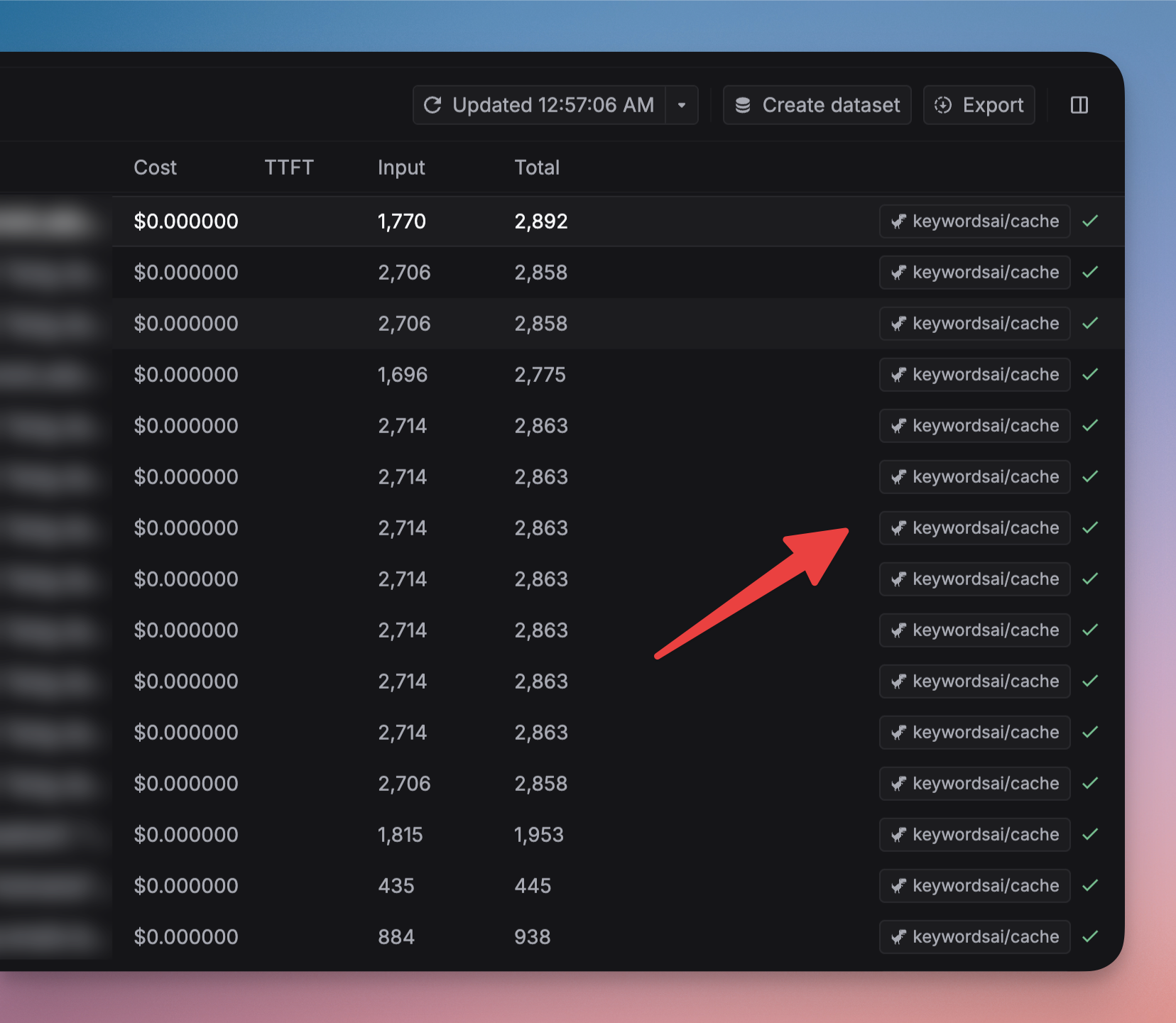
You can view the caches on the Logs page. The model tag will be `keywordsai/cache`. You can also filter the logs by the `Cache hit` field.
 ## Omit logs when cache hit
You can omit the logs when cache hit by setting the `omit_logs` parameter to `true` or go to [Caches](https://platform.keywordsai.co/platform/api/caches) in Settings.
So this won't generate a new LLM log when the cache is hit.
## LLM caching vs Prompt caching
Regular caching stores complete prompt responses. When the same prompt is received, the system returns the stored response, reducing costs but limiting response variety.
Prompt caching stores the model's intermediate computation state. This allows the model to generate diverse responses while still saving computational costs, as it doesn't need to reprocess the entire prompt from scratch. View the [Prompt caching](/documentation/products/gateway/performance_optimization/prompt_caching) section for more information.
## Omit logs when cache hit
You can omit the logs when cache hit by setting the `omit_logs` parameter to `true` or go to [Caches](https://platform.keywordsai.co/platform/api/caches) in Settings.
So this won't generate a new LLM log when the cache is hit.
## LLM caching vs Prompt caching
Regular caching stores complete prompt responses. When the same prompt is received, the system returns the stored response, reducing costs but limiting response variety.
Prompt caching stores the model's intermediate computation state. This allows the model to generate diverse responses while still saving computational costs, as it doesn't need to reprocess the entire prompt from scratch. View the [Prompt caching](/documentation/products/gateway/performance_optimization/prompt_caching) section for more information.