> ## Documentation Index
> Fetch the complete documentation index at: https://docs.keywordsai.co/llms.txt
> Use this file to discover all available pages before exploring further.
# Threads
> A guide to track multi-turn conversation chat logs.
## What is Threads?
Threads are conversation groupings for chatlogs. You can easily track multi-turn conversations by passing in a Thread ID when logging.
## You will love it when you want to:
* Track multi-turn conversations.
* Check the whole conversation history instead of a single log.
## Quick start
In your API payload, pass `thread_identifier` to group the chatlogs into a thread. Every log with the same `thread_identifier` will be grouped into the same thread.
```python Python {4} theme={"system"}
payload = {
"model": "gpt-4o-mini",
"messages": [{"role": "user", "content": "Tell me a long story"}],
"thread_identifier": "thread_id"
}
```
The Thread feature allows you to group related chat logs together by using a common `thread_identifier`. This approach is particularly useful for conversational AI applications, as it organizes chat history into a single thread.
```python {14} theme={"system"}
from openai import OpenAI
client = OpenAI(
base_url="https://api.keywordsai.co/api/",
api_key="YOUR_KEYWORDSAI_API_KEY",
)
response = client.chat.completions.create(
model="gpt-4o-mini",
messages=[
{"role": "user", "content": "Tell me a long story"}
],
extra_body={
"thread_identifier": "the_first_thread"
}
)
```
To implement threading in the OpenAI TypeScript SDK, add the `thread_identifier` parameter to your request. Note: You'll need to include `// @ts-expect-error` before the `thread_identifier` field to handle TypeScript type checking.
```typescript {12-13} theme={"system"}
import { OpenAI } from "openai";
const client = new OpenAI({
baseURL: "https://api.keywordsai.co/api",
apiKey: "YOUR_KEYWORDSAI_API_KEY",
});
const response = await client.chat.completions
.create({
messages: [{ role: "user", content: "Say this is a test" }],
model: "gpt-4o-mini",
// @ts-expect-error
thread_identifier: "the_first_thread"
})
.asResponse();
console.log(await response.json());
```
```python LLM proxy {14} theme={"system"}
import requests
def demo_call(input,
model="gpt-4o-mini",
token="YOUR_KEYWORDS_AI_API_KEY",
):
headers = {
'Content-Type': 'application/json',
'Authorization': f'Bearer {token}',
}
data = {
'model': model,
'messages': [{'role': 'user', 'content': input}],
'thread_identifier': "the_first_thread"
}
response = requests.post('https://api.keywordsai.co/api/chat/completions', headers=headers, json=data)
return response
messages = "Say 'Hello World'"
print(demo_call(messages).json())
```
```python Async logging {16} theme={"system"}
import requests
url = "https://api.keywordsai.co/api/request-logs/create/"
payload = {
"model": "gpt-4o-mini",
"prompt_messages": [
{
"role": "user",
"content": "Hi"
},
],
"completion_message": {
"role": "assistant",
"content": "Hi, how can I assist you today?"
},
"thread_identifier": "the_first_thread"
# other parameters
}
headers = {
"Authorization": "Bearer YOUR_KEYWORDS_AI_API_KEY",
"Content-Type": "application/json"
}
response = requests.request("POST", url, headers=headers, json=payload)
```
We also support adding credentials in other SDKs or languages, please check out our *[integrations](/documentation/admin/llm_provider_keys)*.
## View threads on the platform
### Go to Threads
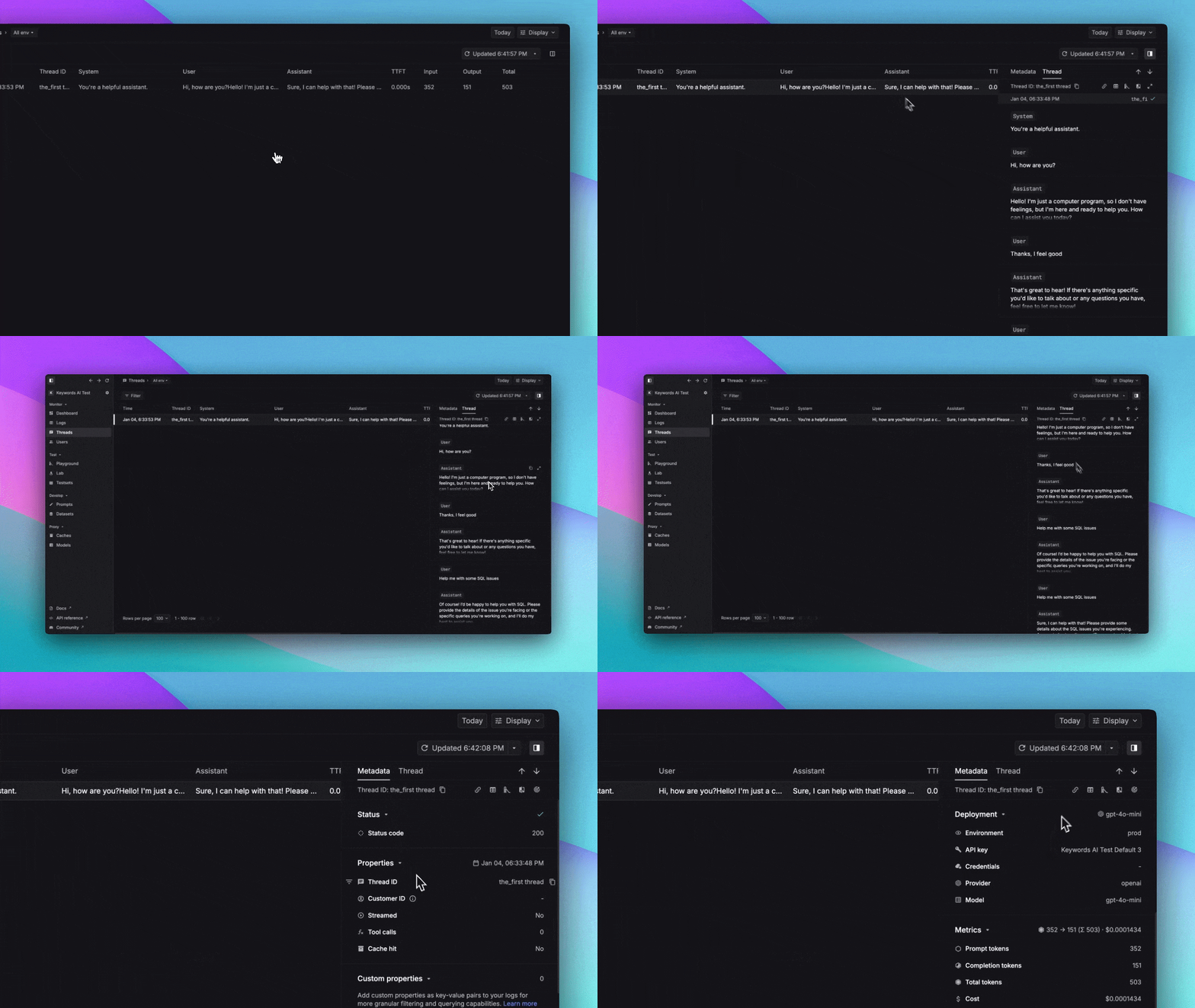
There's a Threads page on the platform where you can view all the threads you've created.
 ### Open a Thread in Logs
To view the detailed logs within a thread:
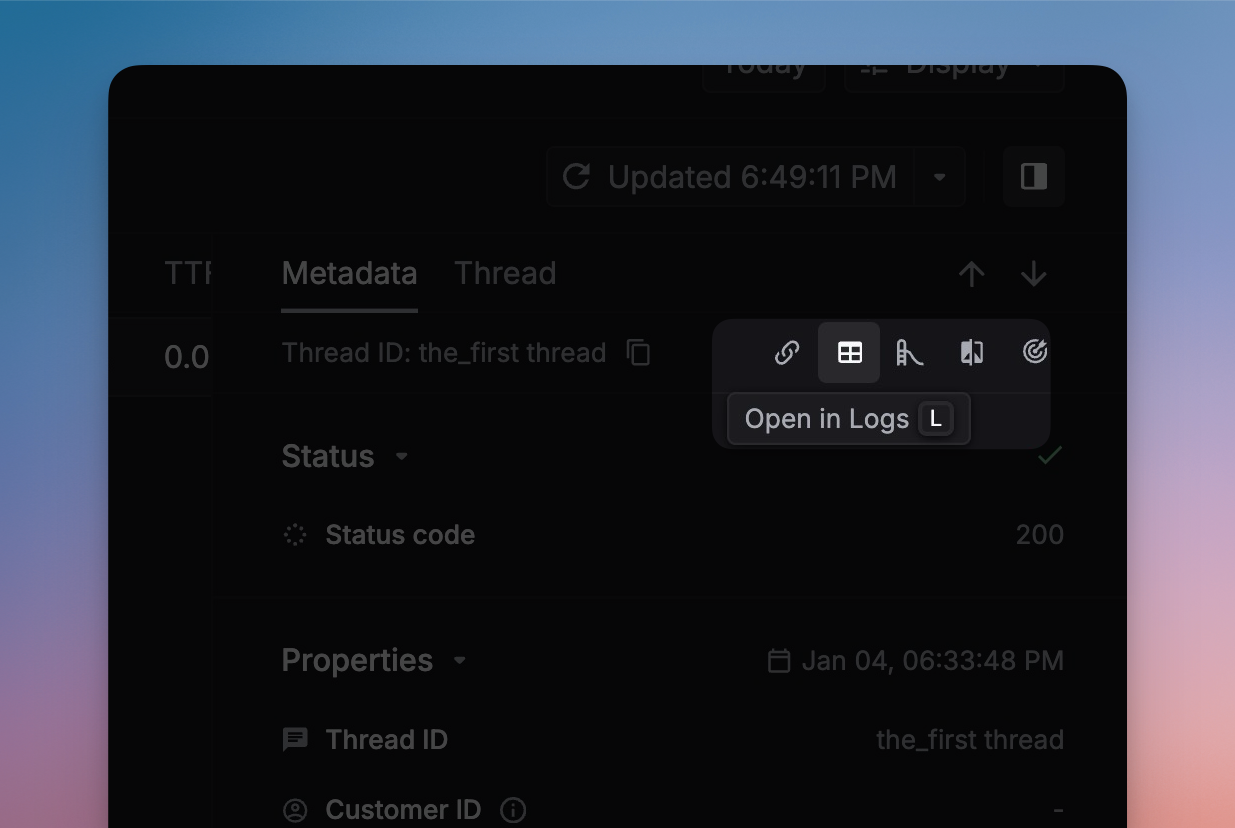
1. Click the `Open in Logs` button in the side panel to access the thread's complete log history.
### Open a Thread in Logs
To view the detailed logs within a thread:
1. Click the `Open in Logs` button in the side panel to access the thread's complete log history.
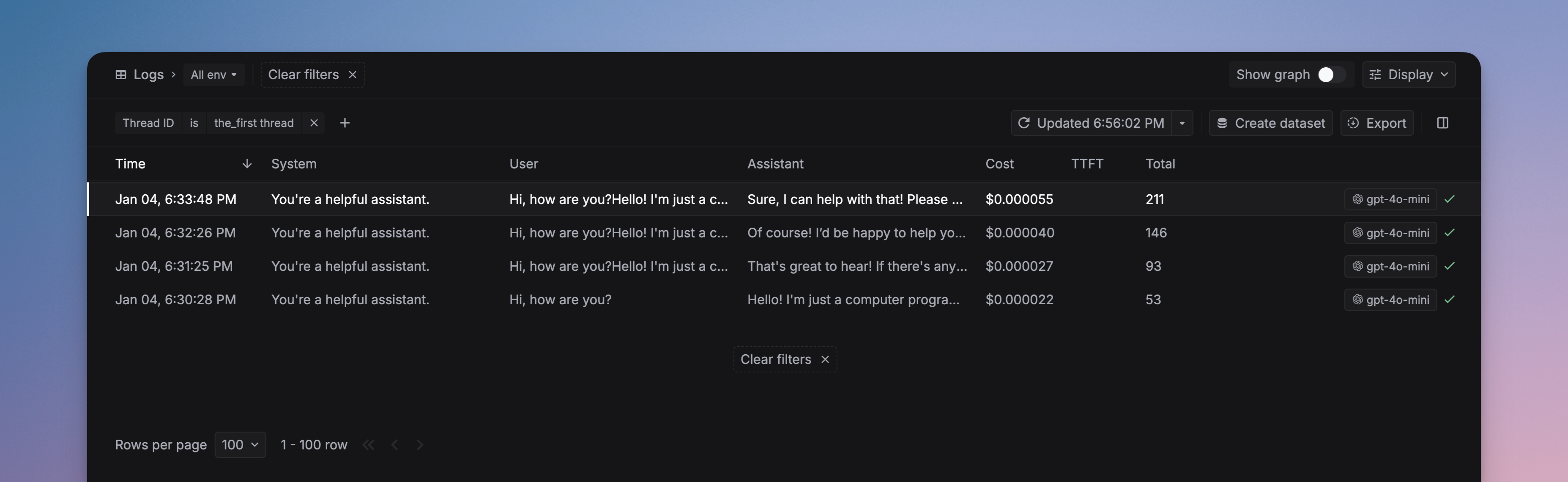
 2. Browse through all logs associated with the thread. Select any individual log entry to view its complete details.