> ## Documentation Index
> Fetch the complete documentation index at: https://docs.keywordsai.co/llms.txt
> Use this file to discover all available pages before exploring further.
# JSON schema
> You can use JSON schema to define the output structure of your prompt.
JSON Schema ensures your AI responses follow a specific structure and format. This creates consistent, structured outputs that integrate seamlessly with your applications.
## Setting Up JSON Schema Response Format
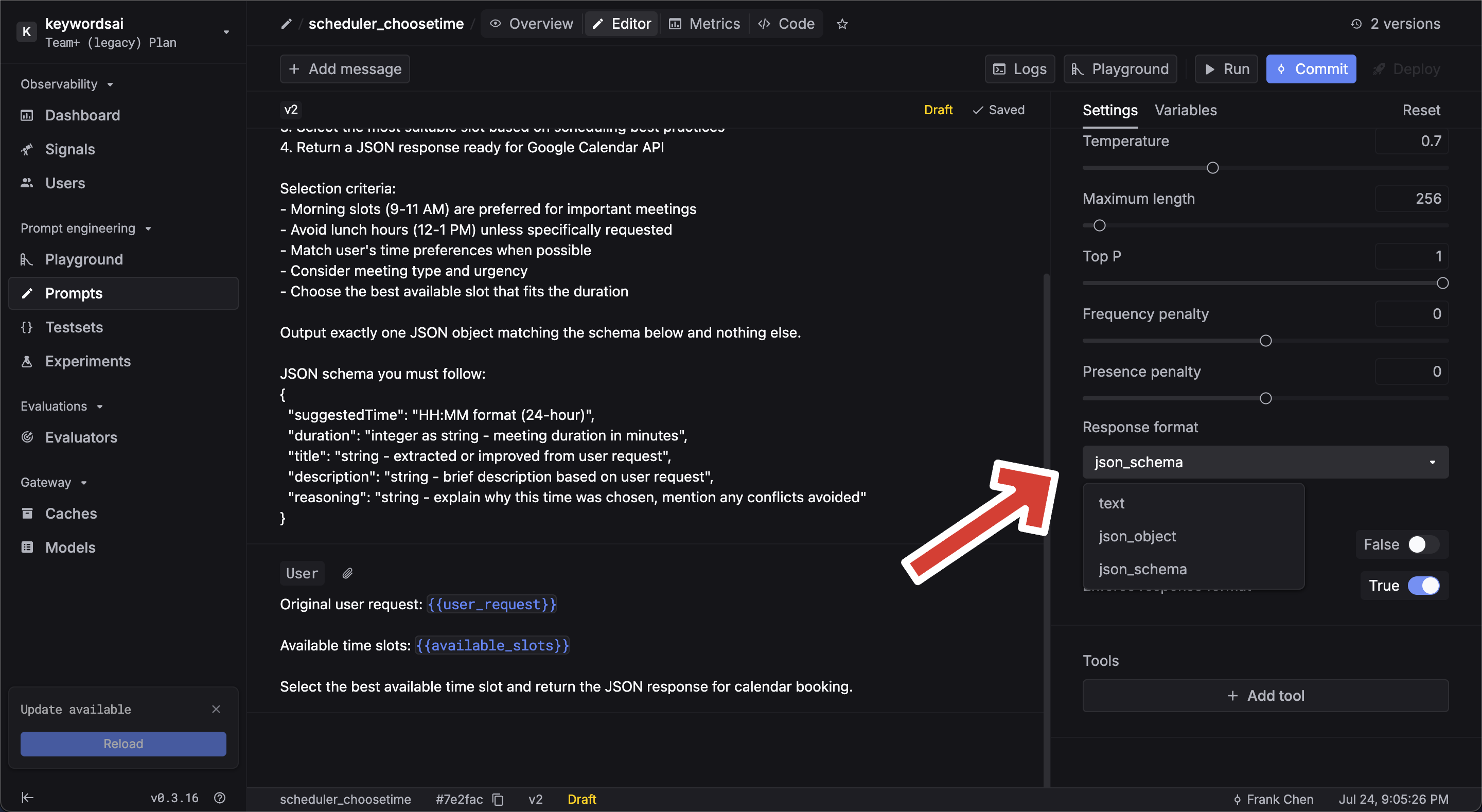
### Method 1: Prompt creation
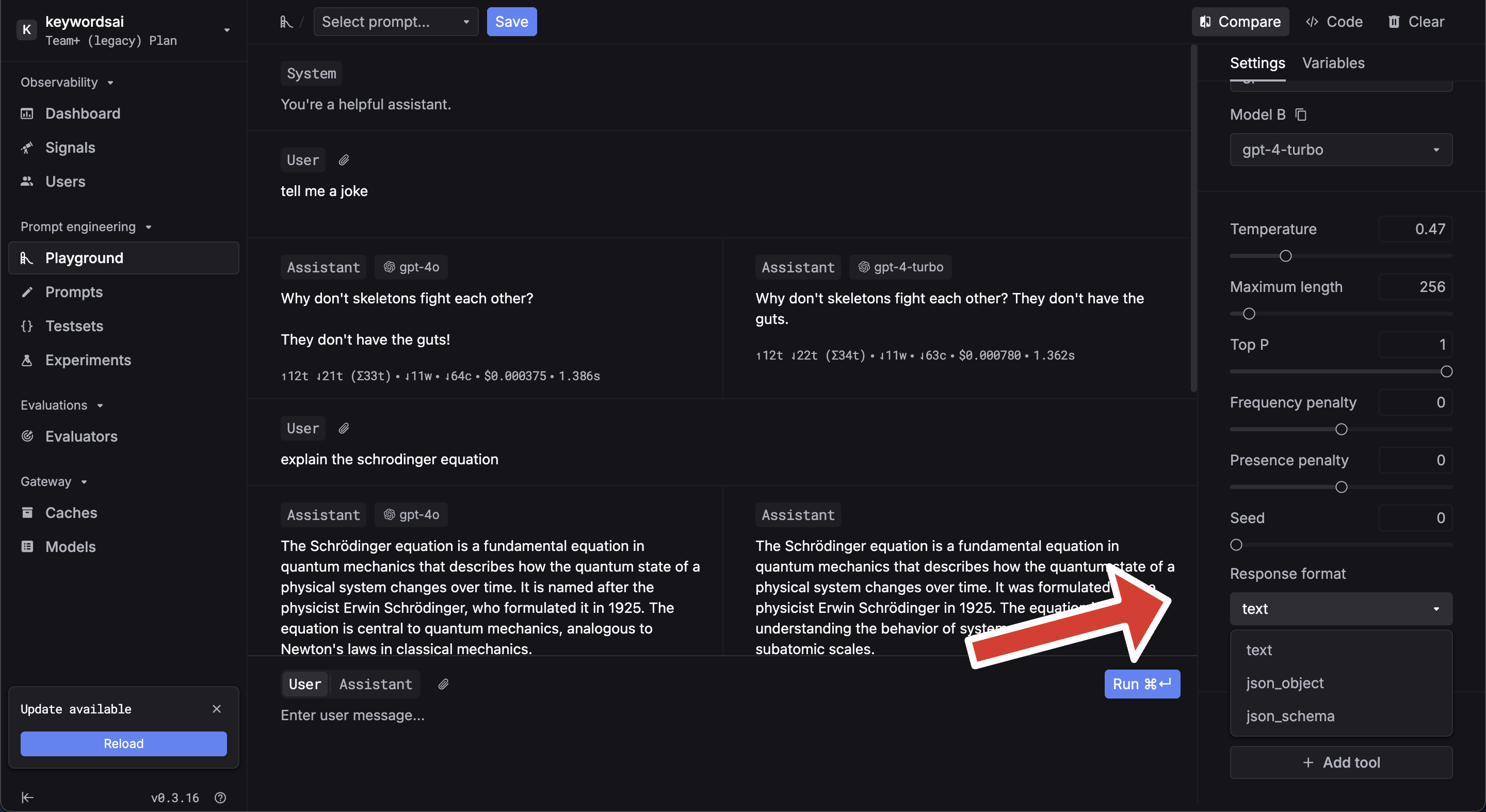
 ### Method 2: Prompt Playground
 ## JSON Schema Format Compatibility
Our JSON Schema implementation follows the OpenAI Structured Outputs specification. This differs from standard JSON Schema but ensures compatibility across AI platforms.
For detailed specification differences, refer to the [OpenAI Structured Outputs documentation](https://platform.openai.com/docs/guides/structured-outputs?api-mode=responses).
## Build your JSON Schema
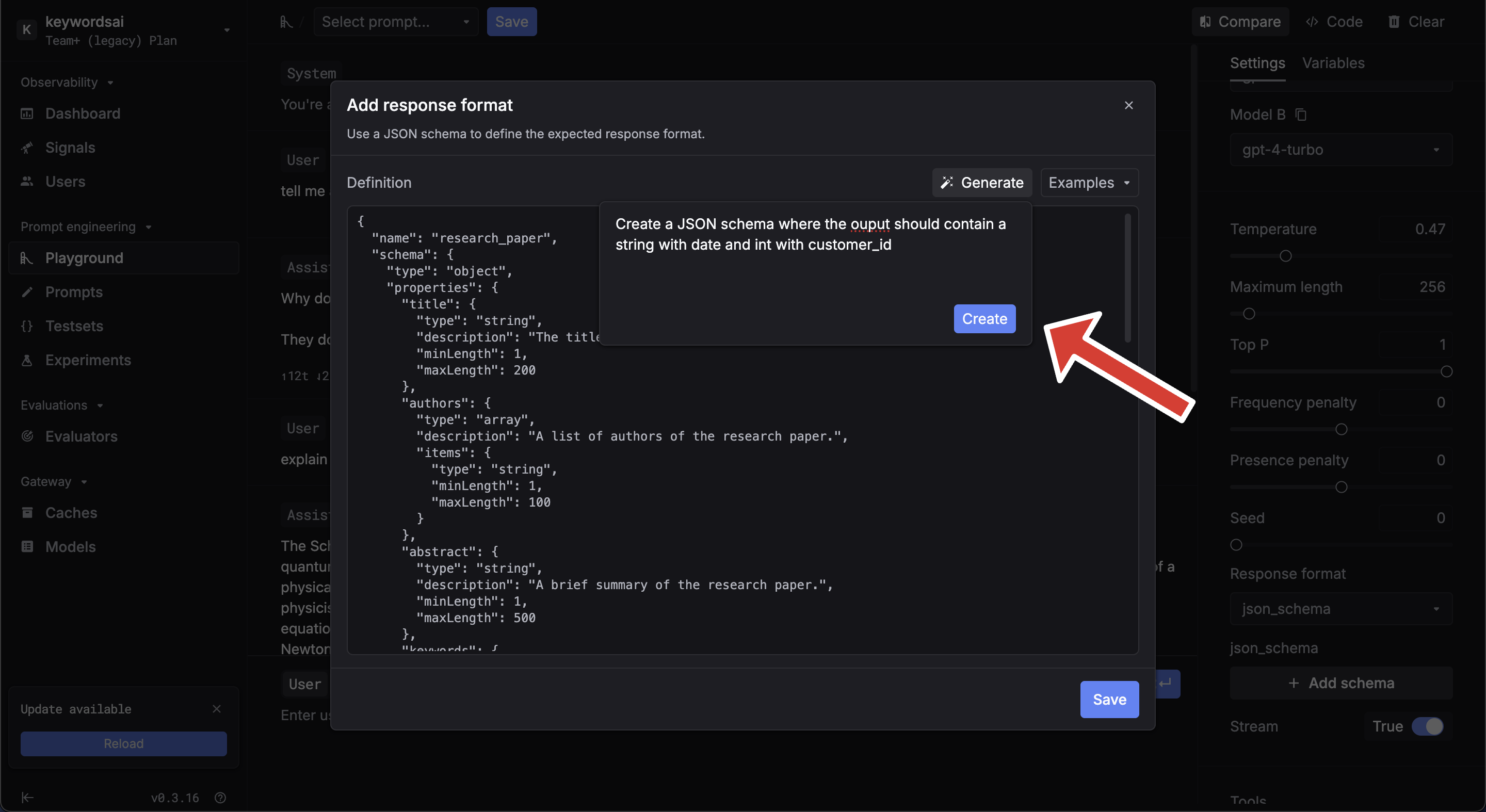
### Generate using AI
exmample prompt:
Create a JSON schema where the output should be a string with date and integer with customer\_id
## JSON Schema Format Compatibility
Our JSON Schema implementation follows the OpenAI Structured Outputs specification. This differs from standard JSON Schema but ensures compatibility across AI platforms.
For detailed specification differences, refer to the [OpenAI Structured Outputs documentation](https://platform.openai.com/docs/guides/structured-outputs?api-mode=responses).
## Build your JSON Schema
### Generate using AI
exmample prompt:
Create a JSON schema where the output should be a string with date and integer with customer\_id
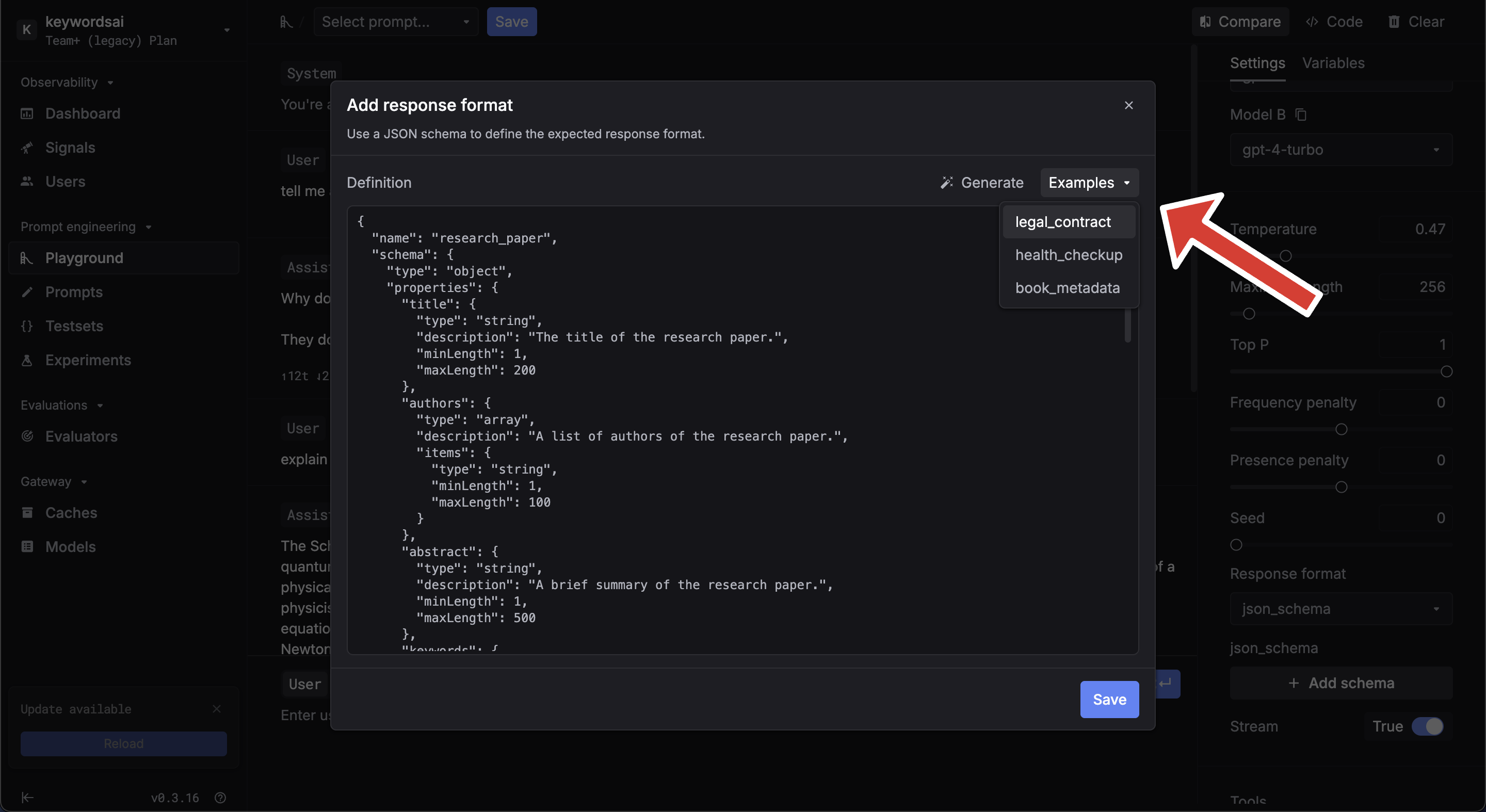
 ### Examples
 ## Need help?
[Join our discord](https://discord.com/invite/KEanfAafQQ) — we'll help you as best we can.
## Need help?
[Join our discord](https://discord.com/invite/KEanfAafQQ) — we'll help you as best we can.