> ## Documentation Index
> Fetch the complete documentation index at: https://docs.keywordsai.co/llms.txt
> Use this file to discover all available pages before exploring further.
# Version control
> A guide to manage and track changes to your prompts.
## What is version control
Version control is a system that allows you to track changes to your prompts. It's a way to manage and collaborate on your prompts with your team.
## Why version control
1. Track all changes to your prompts over time
2. Understand who made each change and why
3. Roll back to earlier versions if something breaks
4. Work on prompts with teammates without overwriting each other's work
5. Test new prompt ideas without risking your working versions
6. Keep a history of what worked and what didn't
## Quickstart
### Version history
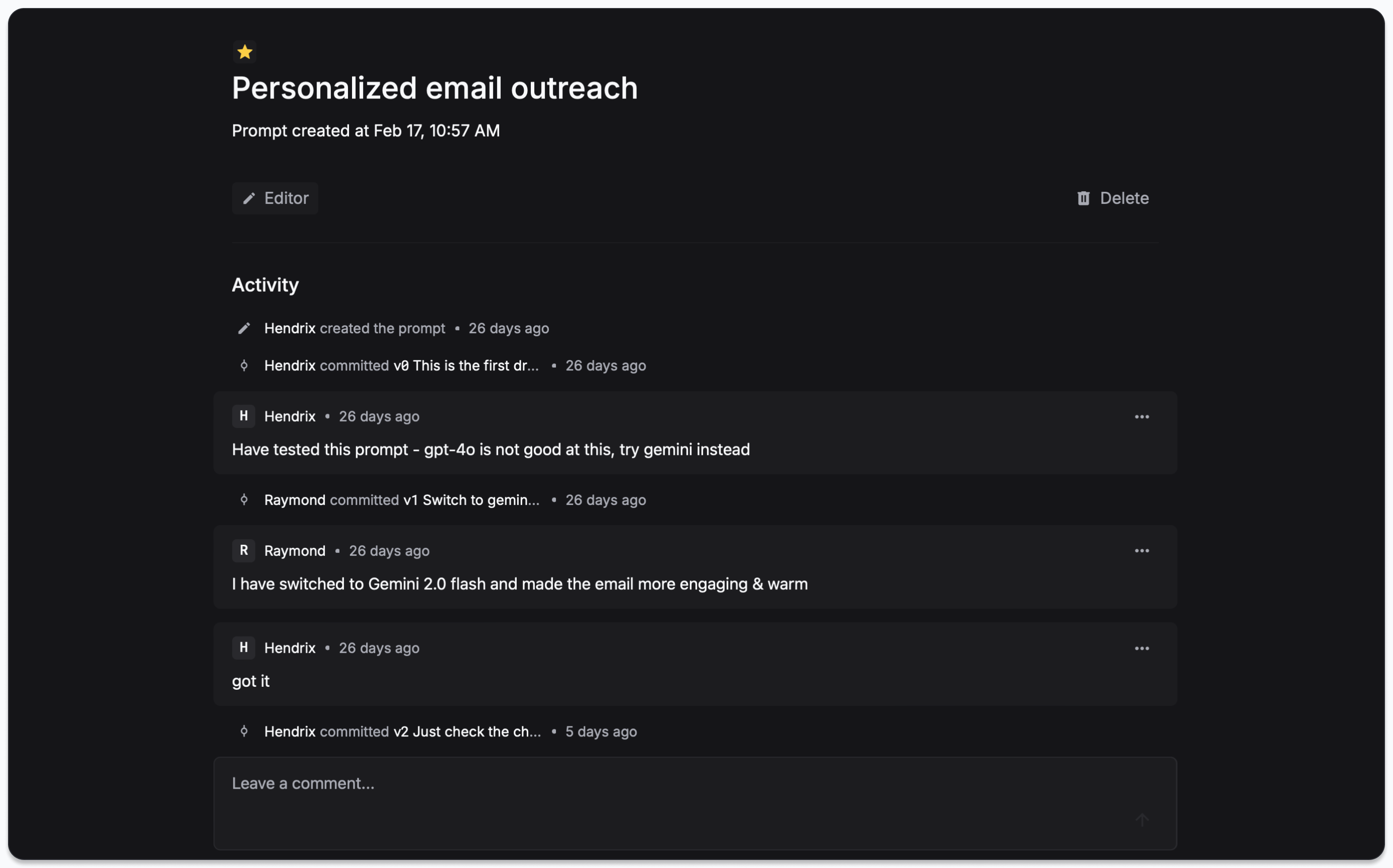
You can view the version history of a prompt in the Overview panel of Prompts.
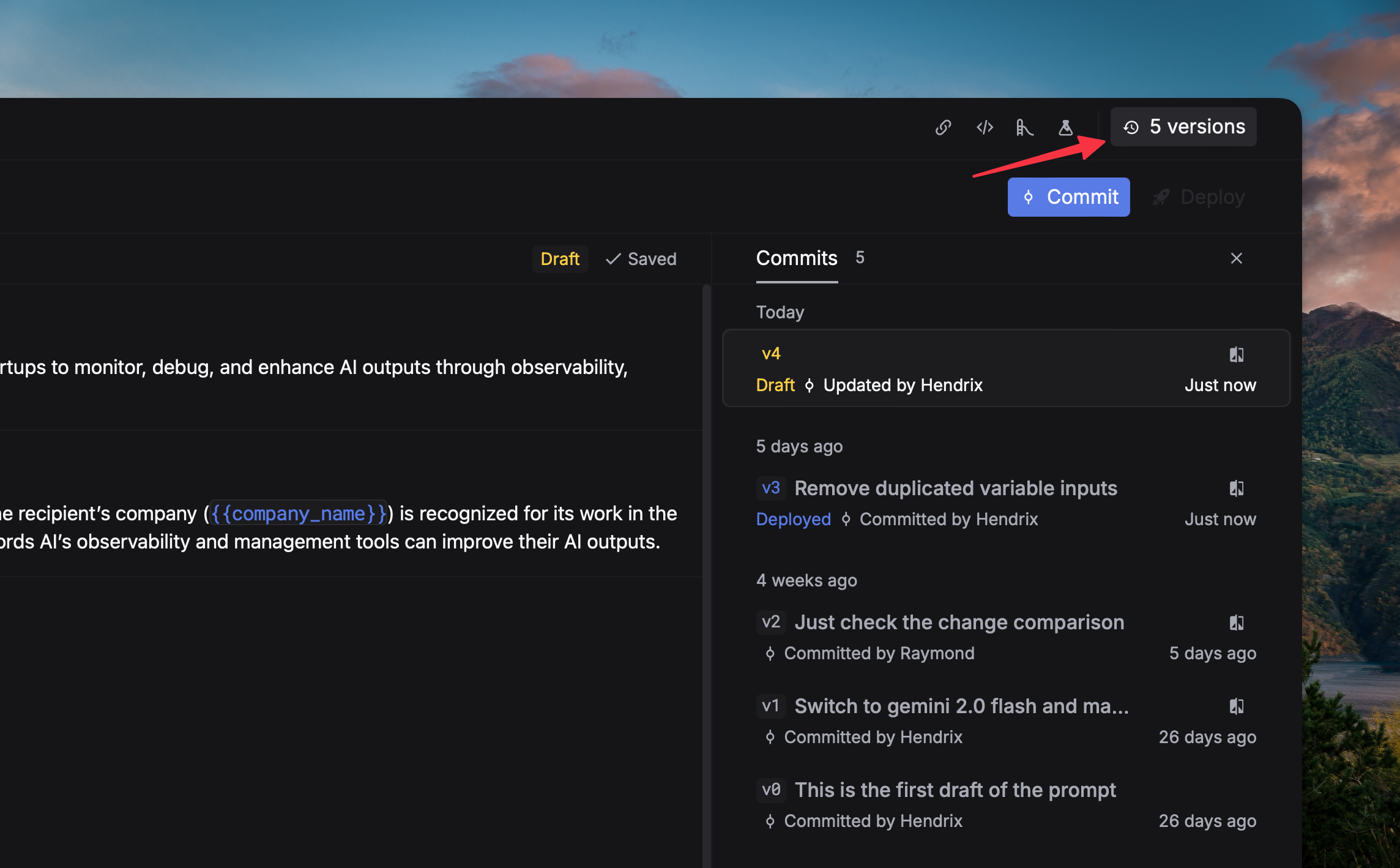
 If you want to see a more detailed history of a prompt, you can go to the Editor panel and click the `Version` button.
 ### Commit changes
You can commit changes to a prompt by clicking the `Commit` button in the Editor panel.
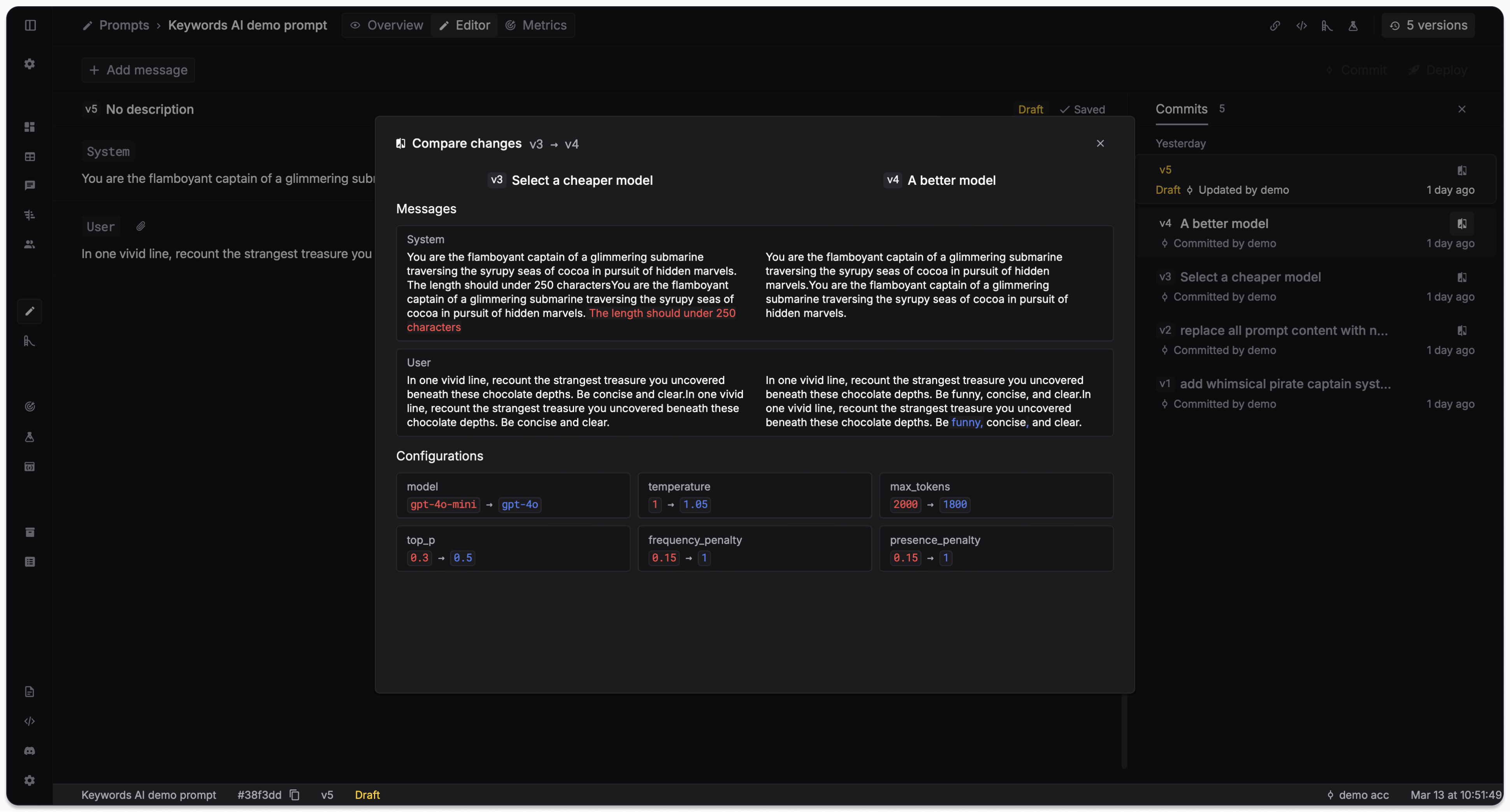
Click on each version to see the changes you made to the prompt.
### Commit changes
You can commit changes to a prompt by clicking the `Commit` button in the Editor panel.
Click on each version to see the changes you made to the prompt.