> ## Documentation Index
> Fetch the complete documentation index at: https://docs.keywordsai.co/llms.txt
> Use this file to discover all available pages before exploring further.
# Haystack SDK
> Use Haystack pipelines with Keywords AI gateway for automatic logging, fallbacks, and cost optimization
This integration is for the **Keywords AI gateway**. For workflow tracing, see [Haystack Tracing](/integration/development-frameworks/tracing/haystack).
## Overview
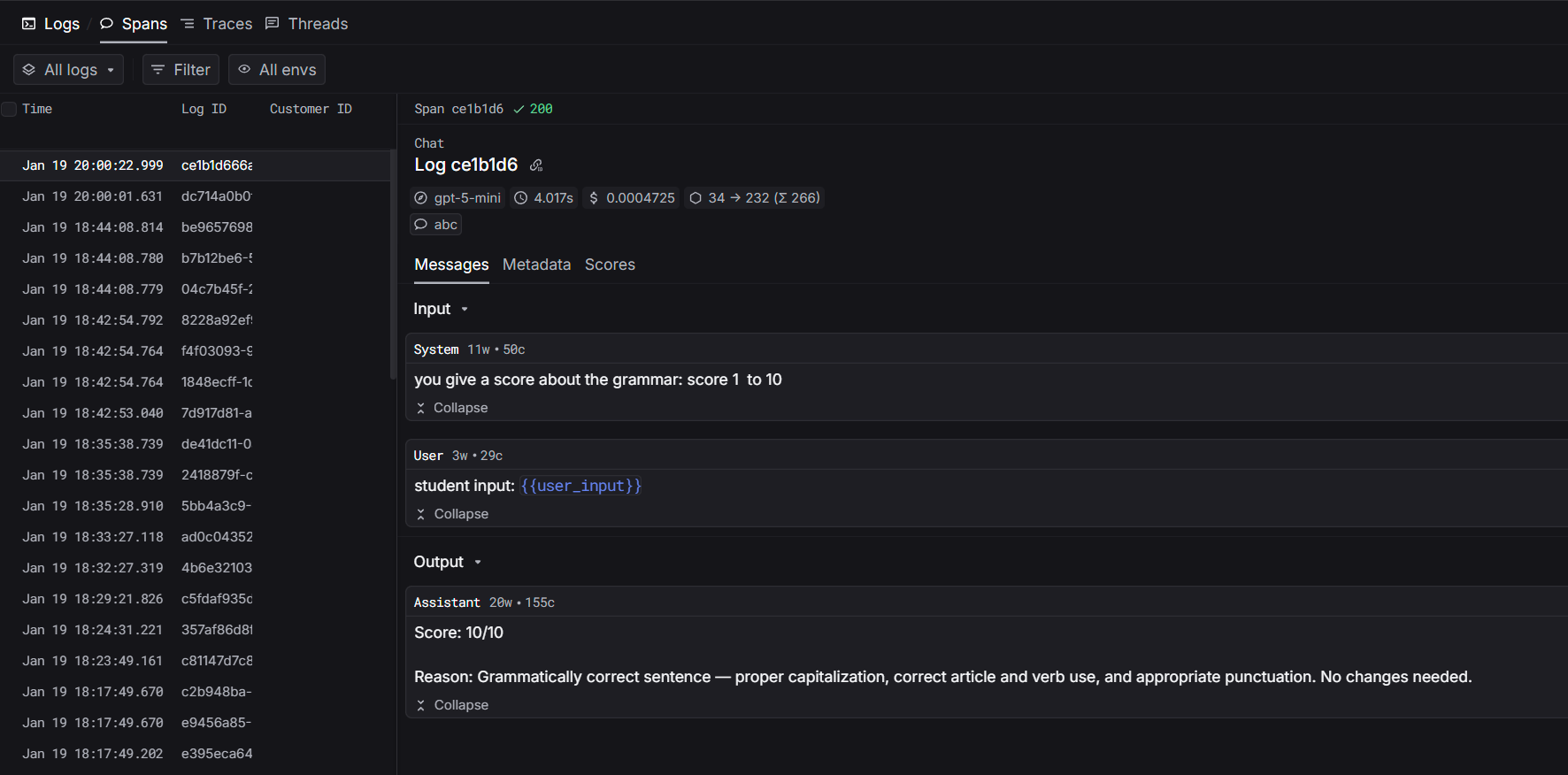
Haystack is an open-source framework for building LLM applications with composable pipelines. The Keywords AI gateway integration routes your LLM calls through Keywords AI for automatic logging, fallbacks, load balancing, and cost optimization.
 ## Installation
```bash theme={"system"}
pip install keywordsai-exporter-haystack
```
## Quickstart
### Step 1: Set Environment Variables
```bash theme={"system"}
export KEYWORDSAI_API_KEY="your-keywords-ai-key"
```
### Step 2: Replace OpenAIGenerator with KeywordsAIGenerator
```python Basic Usage theme={"system"}
import os
from haystack import Pipeline
from haystack.components.builders import PromptBuilder
from keywordsai_exporter_haystack import KeywordsAIGenerator
# Create pipeline
pipeline = Pipeline()
pipeline.add_component("prompt", PromptBuilder(template="Tell me about {{topic}}."))
pipeline.add_component("llm", KeywordsAIGenerator(
model="gpt-4o-mini",
api_key=os.getenv("KEYWORDSAI_API_KEY")
))
pipeline.connect("prompt", "llm")
# Run
result = pipeline.run({"prompt": {"topic": "machine learning"}})
print(result["llm"]["replies"][0])
```
```python With Metadata theme={"system"}
from keywordsai_exporter_haystack import KeywordsAIGenerator
pipeline.add_component("llm", KeywordsAIGenerator(
model="gpt-4o-mini",
api_key=os.getenv("KEYWORDSAI_API_KEY"),
generation_kwargs={
"customer_identifier": "user_123",
"metadata": {"session_id": "abc123"}
}
))
```
That's it! All LLM calls are now automatically logged to Keywords AI.
## Prompt Management
Use platform-managed prompts for centralized control:
```python theme={"system"}
import os
from haystack import Pipeline
from keywordsai_exporter_haystack import KeywordsAIGenerator
# Create pipeline with platform prompt
# No model needed - it comes from the platform
pipeline = Pipeline()
pipeline.add_component("llm", KeywordsAIGenerator(
prompt_id="your-prompt-id", # Get from platform
api_key=os.getenv("KEYWORDSAI_API_KEY")
))
# Run with prompt variables
result = pipeline.run({
"llm": {
"prompt_variables": {
"user_input": "your text here"
}
}
})
```
**Benefits:**
* Update prompts without code changes
* Model configuration managed on platform
* Version control & rollback
* A/B testing
Create prompts at: [platform.keywordsai.co/platform/prompts](https://platform.keywordsai.co/platform/prompts)
## Supported Parameters
### OpenAI Parameters
All [OpenAI parameters](/api-endpoints/develop/gateway/chat-completions#openai-compatible-parameters) are supported:
```python theme={"system"}
pipeline.add_component("llm", KeywordsAIGenerator(
model="gpt-4o-mini",
api_key=os.getenv("KEYWORDSAI_API_KEY"),
generation_kwargs={
"temperature": 0.7, # Control randomness
"max_tokens": 1000, # Limit response length
}
))
```
### Keywords AI Parameters
Use [Keywords AI parameters](/api-endpoints/develop/gateway/chat-completions#keywords-ai-parameters) for advanced features:
```python theme={"system"}
pipeline.add_component("llm", KeywordsAIGenerator(
model="gpt-4o-mini",
api_key=os.getenv("KEYWORDSAI_API_KEY"),
generation_kwargs={
"customer_identifier": "user_123", # Track users
"fallback_models": ["gpt-3.5-turbo"], # Auto fallbacks
"metadata": {"session_id": "abc123"}, # Custom metadata
"thread_identifier": "conversation_456", # Group messages
"group_identifier": "team_alpha", # Organize by groups
}
))
```
## Workflow Tracing
For complete visibility of your pipeline execution, add workflow tracing to see how data flows through each component.
Learn how to trace your entire Haystack pipeline
## Installation
```bash theme={"system"}
pip install keywordsai-exporter-haystack
```
## Quickstart
### Step 1: Set Environment Variables
```bash theme={"system"}
export KEYWORDSAI_API_KEY="your-keywords-ai-key"
```
### Step 2: Replace OpenAIGenerator with KeywordsAIGenerator
```python Basic Usage theme={"system"}
import os
from haystack import Pipeline
from haystack.components.builders import PromptBuilder
from keywordsai_exporter_haystack import KeywordsAIGenerator
# Create pipeline
pipeline = Pipeline()
pipeline.add_component("prompt", PromptBuilder(template="Tell me about {{topic}}."))
pipeline.add_component("llm", KeywordsAIGenerator(
model="gpt-4o-mini",
api_key=os.getenv("KEYWORDSAI_API_KEY")
))
pipeline.connect("prompt", "llm")
# Run
result = pipeline.run({"prompt": {"topic": "machine learning"}})
print(result["llm"]["replies"][0])
```
```python With Metadata theme={"system"}
from keywordsai_exporter_haystack import KeywordsAIGenerator
pipeline.add_component("llm", KeywordsAIGenerator(
model="gpt-4o-mini",
api_key=os.getenv("KEYWORDSAI_API_KEY"),
generation_kwargs={
"customer_identifier": "user_123",
"metadata": {"session_id": "abc123"}
}
))
```
That's it! All LLM calls are now automatically logged to Keywords AI.
## Prompt Management
Use platform-managed prompts for centralized control:
```python theme={"system"}
import os
from haystack import Pipeline
from keywordsai_exporter_haystack import KeywordsAIGenerator
# Create pipeline with platform prompt
# No model needed - it comes from the platform
pipeline = Pipeline()
pipeline.add_component("llm", KeywordsAIGenerator(
prompt_id="your-prompt-id", # Get from platform
api_key=os.getenv("KEYWORDSAI_API_KEY")
))
# Run with prompt variables
result = pipeline.run({
"llm": {
"prompt_variables": {
"user_input": "your text here"
}
}
})
```
**Benefits:**
* Update prompts without code changes
* Model configuration managed on platform
* Version control & rollback
* A/B testing
Create prompts at: [platform.keywordsai.co/platform/prompts](https://platform.keywordsai.co/platform/prompts)
## Supported Parameters
### OpenAI Parameters
All [OpenAI parameters](/api-endpoints/develop/gateway/chat-completions#openai-compatible-parameters) are supported:
```python theme={"system"}
pipeline.add_component("llm", KeywordsAIGenerator(
model="gpt-4o-mini",
api_key=os.getenv("KEYWORDSAI_API_KEY"),
generation_kwargs={
"temperature": 0.7, # Control randomness
"max_tokens": 1000, # Limit response length
}
))
```
### Keywords AI Parameters
Use [Keywords AI parameters](/api-endpoints/develop/gateway/chat-completions#keywords-ai-parameters) for advanced features:
```python theme={"system"}
pipeline.add_component("llm", KeywordsAIGenerator(
model="gpt-4o-mini",
api_key=os.getenv("KEYWORDSAI_API_KEY"),
generation_kwargs={
"customer_identifier": "user_123", # Track users
"fallback_models": ["gpt-3.5-turbo"], # Auto fallbacks
"metadata": {"session_id": "abc123"}, # Custom metadata
"thread_identifier": "conversation_456", # Group messages
"group_identifier": "team_alpha", # Organize by groups
}
))
```
## Workflow Tracing
For complete visibility of your pipeline execution, add workflow tracing to see how data flows through each component.
Learn how to trace your entire Haystack pipeline