> ## Documentation Index
> Fetch the complete documentation index at: https://docs.keywordsai.co/llms.txt
> Use this file to discover all available pages before exploring further.
# Langfuse
> Send Langfuse traces to Keywords AI with OTEL instrumentation.
Instrument before importing Langfuse so the HTTP client is patched.
## Overview
Use the Keywords AI Langfuse instrumentor to redirect Langfuse traces to Keywords AI without changing your Langfuse usage. You can keep using `@observe` and the Langfuse SDK as usual.
## Quickstart
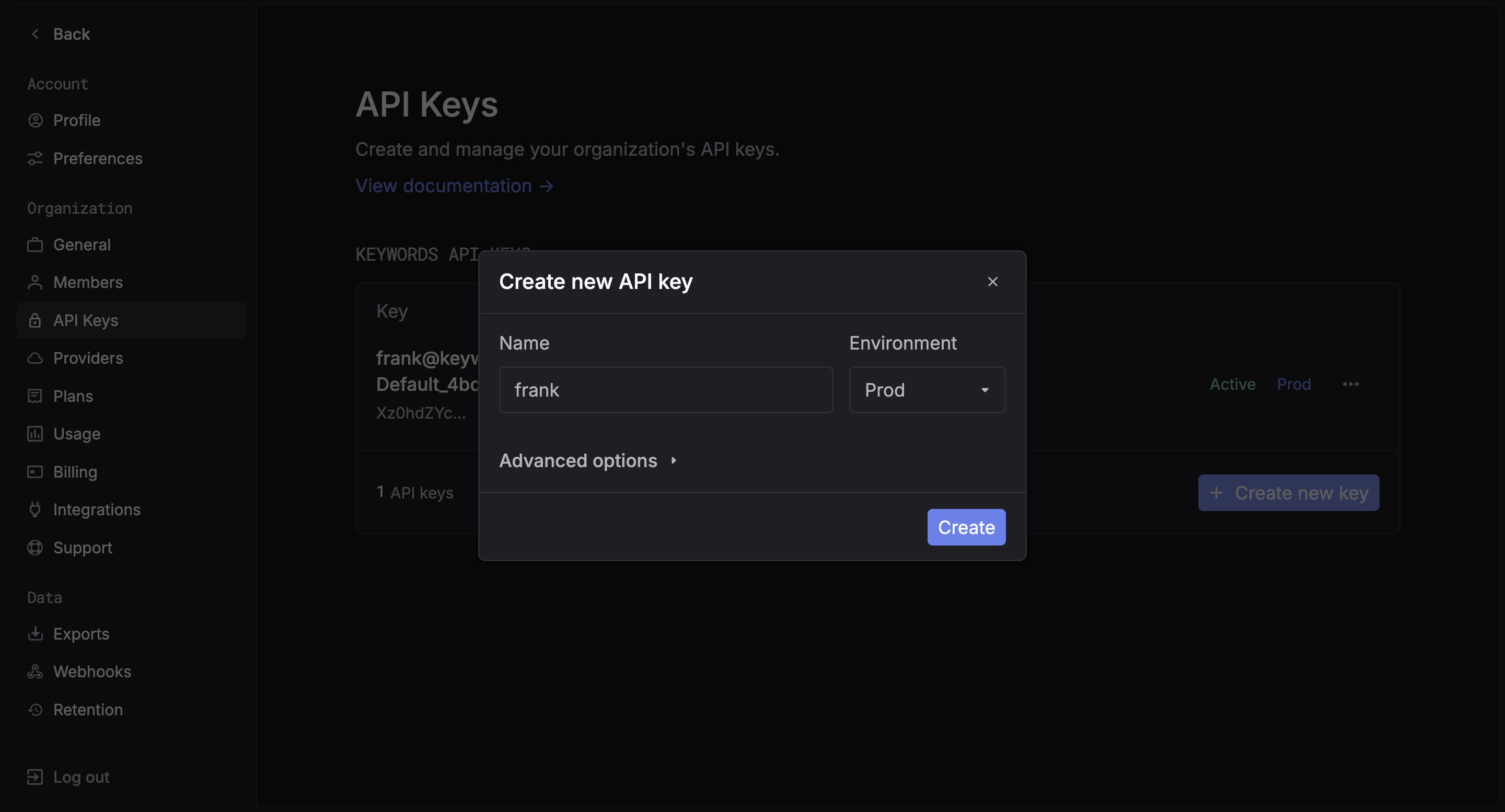
### Step 1: Get a Keywords AI API key
Create an API key in the [Keywords AI dashboard](https://platform.keywordsai.co/platform/api/api-keys).
 ### Step 2: Install packages
```bash Python theme={"system"}
pip install langfuse keywordsai-instrumentation-langfuse
```
### Step 3: Set environment variables
Create a `.env` or export environment variables:
```bash .env theme={"system"}
KEYWORDSAI_API_KEY=your-keywordsai-api-key
KEYWORDSAI_BASE_URL=https://api.keywordsai.co/api
LANGFUSE_PUBLIC_KEY=your-langfuse-public-key
LANGFUSE_SECRET_KEY=your-langfuse-secret-key
LANGFUSE_HOST=https://cloud.langfuse.com
```
## Examples
Below are three common Langfuse patterns using the Keywords AI instrumentor.
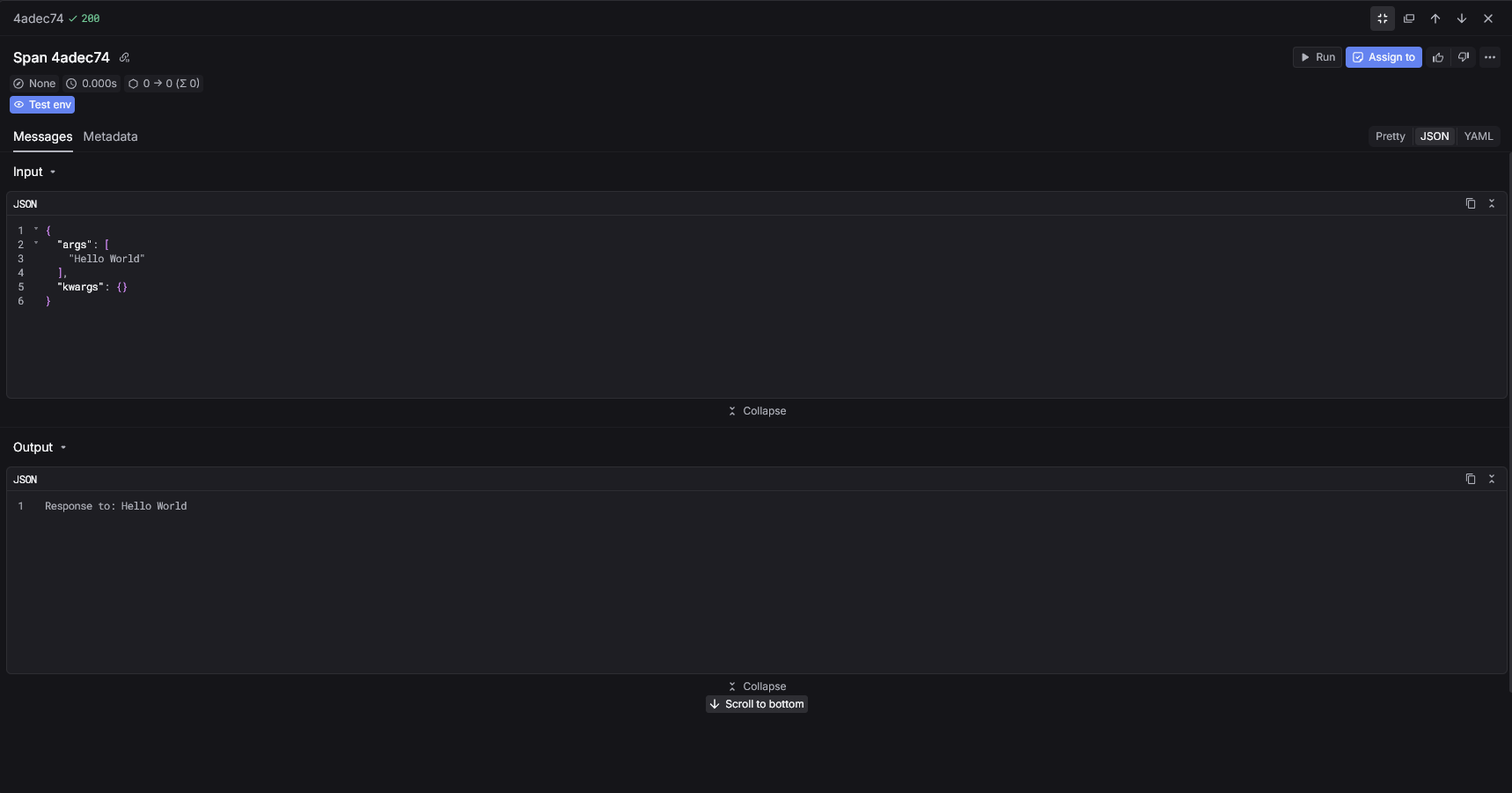
#### Basic decorator
Instrument the Langfuse client and use `@observe`.
```python Python theme={"system"}
import dotenv
dotenv.load_dotenv(".env", override=True)
import os
from keywordsai_instrumentation_langfuse import LangfuseInstrumentor
# Instrument BEFORE importing Langfuse
instrumentor = LangfuseInstrumentor()
instrumentor.instrument(
api_key=os.environ["KEYWORDSAI_API_KEY"],
endpoint=os.environ["KEYWORDSAI_BASE_URL"] + "/v1/traces/ingest",
)
from langfuse import Langfuse, observe
langfuse = Langfuse(
public_key="pk-lf-...",
secret_key="sk-lf-...",
host="https://cloud.langfuse.com",
)
@observe()
def process_query(query: str):
return f"Response to: {query}"
result = process_query("Hello World")
print(result)
langfuse.flush()
```
### Step 2: Install packages
```bash Python theme={"system"}
pip install langfuse keywordsai-instrumentation-langfuse
```
### Step 3: Set environment variables
Create a `.env` or export environment variables:
```bash .env theme={"system"}
KEYWORDSAI_API_KEY=your-keywordsai-api-key
KEYWORDSAI_BASE_URL=https://api.keywordsai.co/api
LANGFUSE_PUBLIC_KEY=your-langfuse-public-key
LANGFUSE_SECRET_KEY=your-langfuse-secret-key
LANGFUSE_HOST=https://cloud.langfuse.com
```
## Examples
Below are three common Langfuse patterns using the Keywords AI instrumentor.
#### Basic decorator
Instrument the Langfuse client and use `@observe`.
```python Python theme={"system"}
import dotenv
dotenv.load_dotenv(".env", override=True)
import os
from keywordsai_instrumentation_langfuse import LangfuseInstrumentor
# Instrument BEFORE importing Langfuse
instrumentor = LangfuseInstrumentor()
instrumentor.instrument(
api_key=os.environ["KEYWORDSAI_API_KEY"],
endpoint=os.environ["KEYWORDSAI_BASE_URL"] + "/v1/traces/ingest",
)
from langfuse import Langfuse, observe
langfuse = Langfuse(
public_key="pk-lf-...",
secret_key="sk-lf-...",
host="https://cloud.langfuse.com",
)
@observe()
def process_query(query: str):
return f"Response to: {query}"
result = process_query("Hello World")
print(result)
langfuse.flush()
```
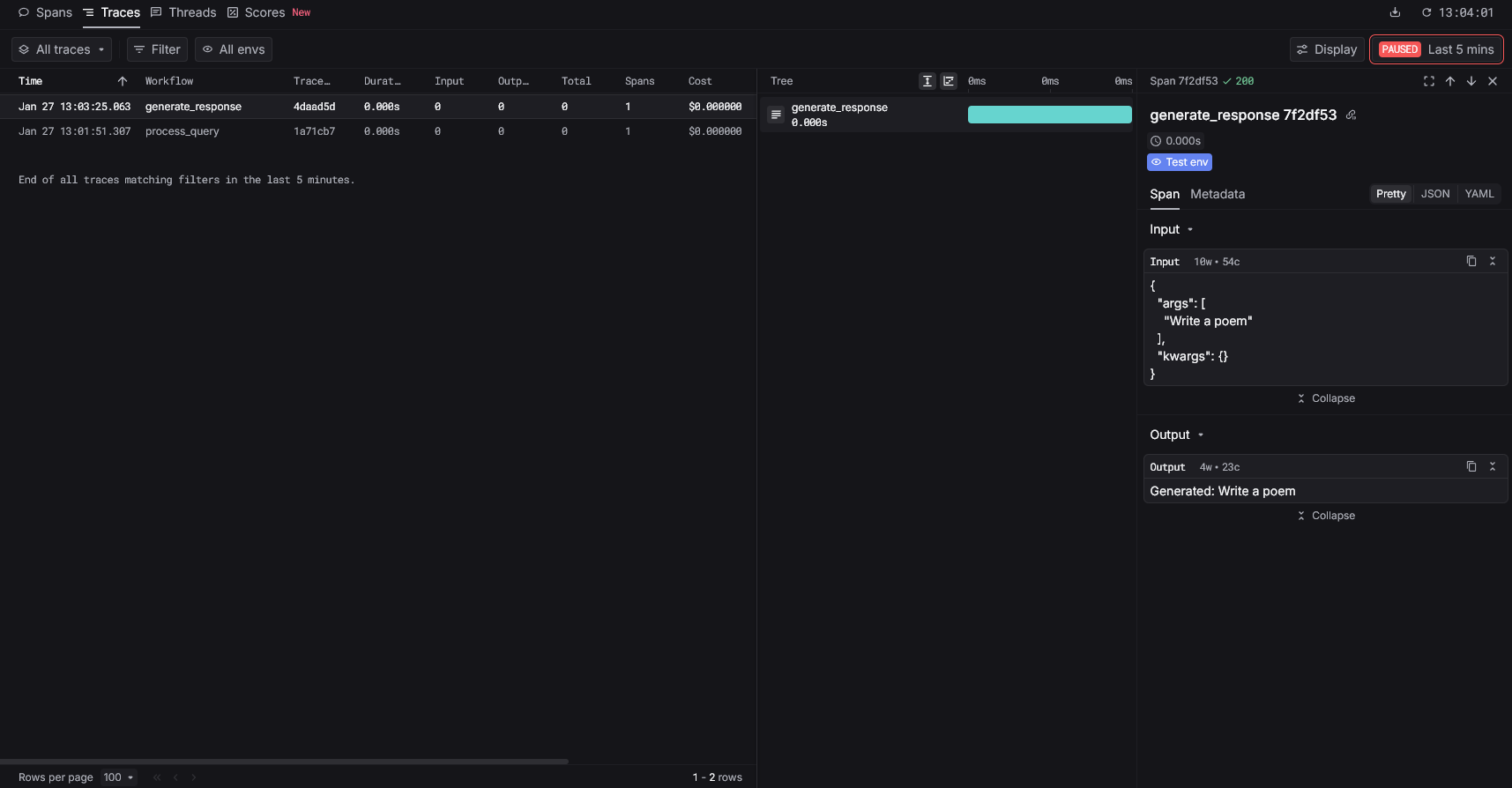
 #### Generation tracing
Mark a function as a generation with `@observe(as_type="generation")`.
```python Python theme={"system"}
import os
from keywordsai_instrumentation_langfuse import LangfuseInstrumentor
os.environ["KEYWORDSAI_API_KEY"] = "your-api-key"
instrumentor = LangfuseInstrumentor()
instrumentor.instrument(
api_key=os.environ["KEYWORDSAI_API_KEY"],
)
from langfuse import Langfuse, observe
langfuse = Langfuse(
public_key="pk-lf-...",
secret_key="sk-lf-...",
)
@observe(as_type="generation")
def generate_response(prompt: str):
return f"Generated: {prompt}"
result = generate_response("Write a poem")
print(result)
langfuse.flush()
```
#### Generation tracing
Mark a function as a generation with `@observe(as_type="generation")`.
```python Python theme={"system"}
import os
from keywordsai_instrumentation_langfuse import LangfuseInstrumentor
os.environ["KEYWORDSAI_API_KEY"] = "your-api-key"
instrumentor = LangfuseInstrumentor()
instrumentor.instrument(
api_key=os.environ["KEYWORDSAI_API_KEY"],
)
from langfuse import Langfuse, observe
langfuse = Langfuse(
public_key="pk-lf-...",
secret_key="sk-lf-...",
)
@observe(as_type="generation")
def generate_response(prompt: str):
return f"Generated: {prompt}"
result = generate_response("Write a poem")
print(result)
langfuse.flush()
```
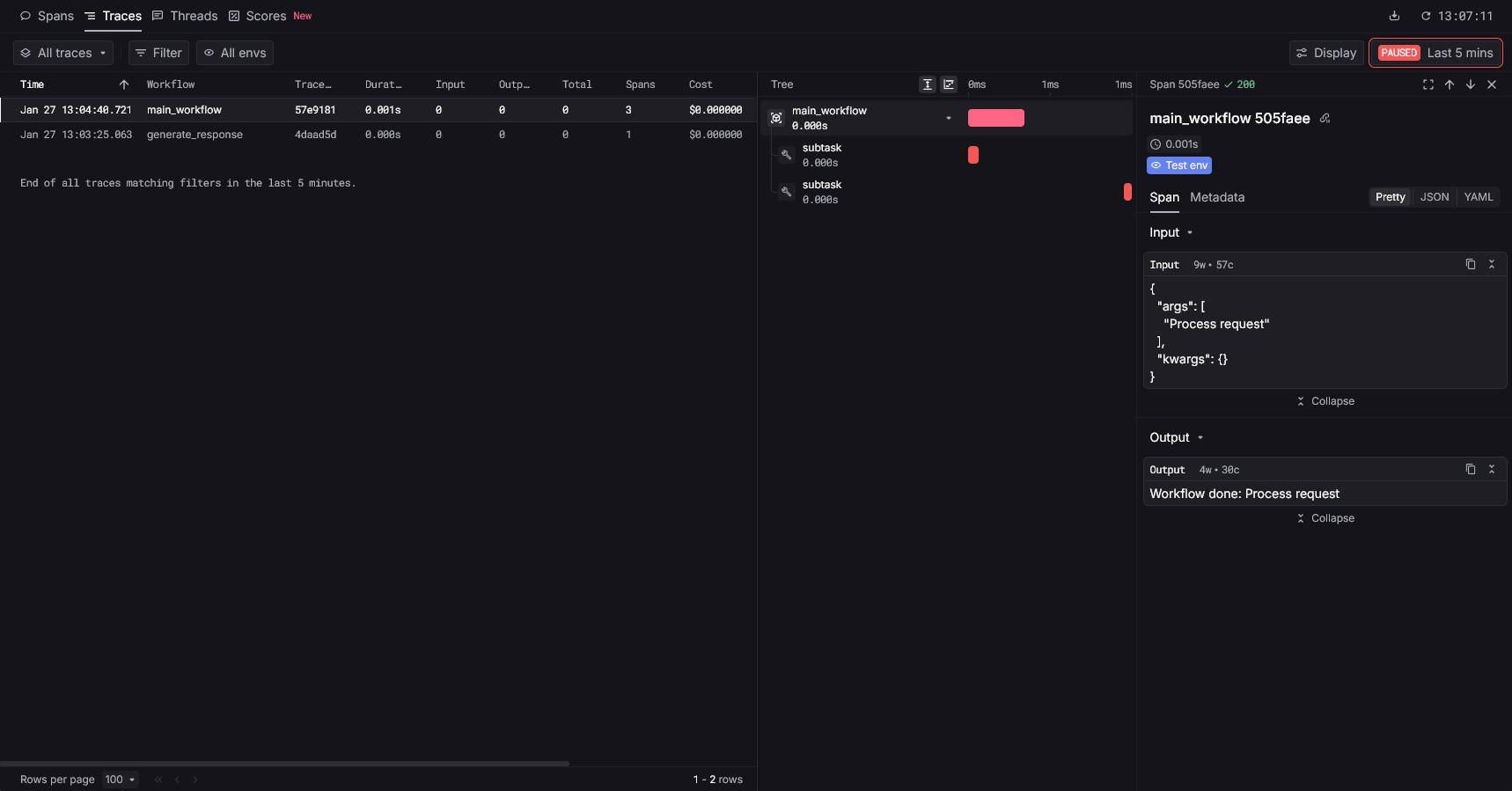
 #### Nested traces
Create parent-child relationships with nested `@observe` functions.
```python Python theme={"system"}
import os
from keywordsai_instrumentation_langfuse import LangfuseInstrumentor
os.environ["KEYWORDSAI_API_KEY"] = "your-api-key"
instrumentor = LangfuseInstrumentor()
instrumentor.instrument(
api_key=os.environ["KEYWORDSAI_API_KEY"],
)
from langfuse import Langfuse, observe
langfuse = Langfuse(
public_key="pk-lf-...",
secret_key="sk-lf-...",
)
@observe()
def subtask(name: str):
return f"Completed: {name}"
@observe()
def main_workflow(task: str):
result1 = subtask("step 1")
result2 = subtask("step 2")
return f"Workflow done: {task}"
result = main_workflow("Process request")
print(result)
langfuse.flush()
```
#### Nested traces
Create parent-child relationships with nested `@observe` functions.
```python Python theme={"system"}
import os
from keywordsai_instrumentation_langfuse import LangfuseInstrumentor
os.environ["KEYWORDSAI_API_KEY"] = "your-api-key"
instrumentor = LangfuseInstrumentor()
instrumentor.instrument(
api_key=os.environ["KEYWORDSAI_API_KEY"],
)
from langfuse import Langfuse, observe
langfuse = Langfuse(
public_key="pk-lf-...",
secret_key="sk-lf-...",
)
@observe()
def subtask(name: str):
return f"Completed: {name}"
@observe()
def main_workflow(task: str):
result1 = subtask("step 1")
result2 = subtask("step 2")
return f"Workflow done: {task}"
result = main_workflow("Process request")
print(result)
langfuse.flush()
```