> ## Documentation Index
> Fetch the complete documentation index at: https://docs.keywordsai.co/llms.txt
> Use this file to discover all available pages before exploring further.
# Google Vertex AI
> Use your own Vertex AI credits through Keywords AI
Get your Google Vertex AI credentials from the Google Cloud Console to start using Vertex AI models through Keywords AI.
## Google Vertex AI models compatibility
* [OpenAI SDK](/integration/development-frameworks/llm_framework/openai/openai-sdk)
* [LangChain SDK](/integration/development-frameworks/llm_framework/langchain)
* [Vercel/OpenAI](/integration/development-frameworks/llm_framework/vercel#openai)
* [Vercel/Google](/integration/development-frameworks/llm_framework/vercel#google)
* [LlamaIndex SDK](/integration/development-frameworks/llm_framework/llama-index)
* [Google GenAI](/integration/development-frameworks/llm_framework/google_genai)
* [Keywords native (Otel)](/get-started/quickstart/gateway)
* [Anthropic SDK](/integration/development-frameworks/llm_framework/anthropic)
* [Vercel/Anthropic](/integration/development-frameworks/llm_framework/vercel#anthropic)
## Add Google Vertex AI API keys
There are 2 ways to add your Google Vertex AI credentials to your requests:
### Via UI
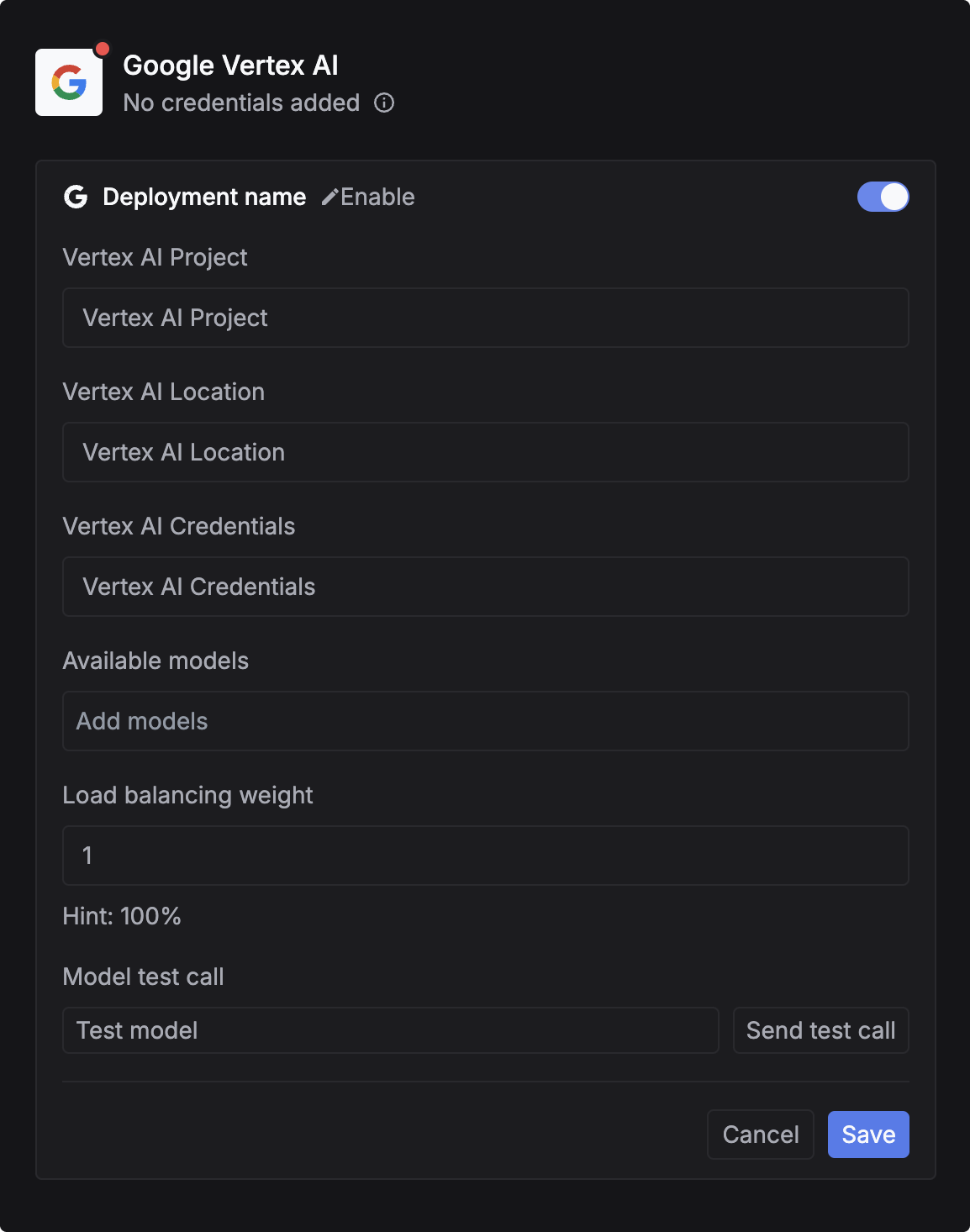
Google credentials are little bit tricky. You can follow this video to get your credentials:
Go to [Providers page](https://platform.keywordsai.co/platform/api/providers)
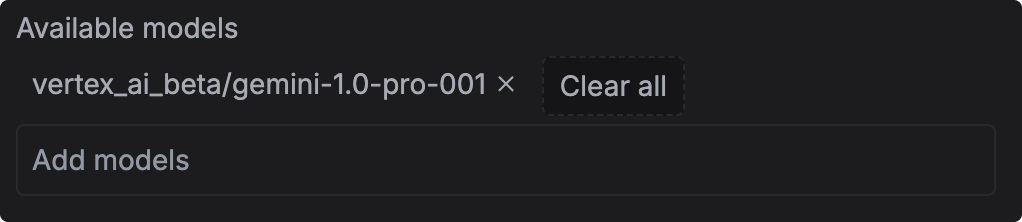
You can choose the models you want to use your credits with. Just simply type the model ID from the [Models page](https://platform.keywordsai.co/platform/models) and copy the model id and paste it in the Available models. Press `Enter` to add the model.
**Leave it empty to apply your credentials for all Vertex AI models.**
## Via Code
Add `customer_credentials` parameter in your [request body](/api-endpoints/develop/gateway/chat-completions) to use your own Vertex AI credits.
```json theme={"system"}
{
// Rest of the request body
"customer_credentials": {
"google_vertex_ai": {
"vertex_ai_project": "your-project",
"vertex_ai_location": "your-location",
"vertex_ai_credentials": credentials // a JSON object, you could also pass an entire JSON object here
}
}
}
```
## Override credentials for a particular model. (Optional)
One-off credential overrides. Instead of using what is uploaded for each provider, this targets credentials for individual models.
```json theme={"system"}
{
// Rest of the request body
"customer_credentials": {
"google_vertex_ai": {
"vertex_ai_project": "your-project",
"vertex_ai_location": "your-location",
"vertex_ai_credentials": credentials // a JSON object, you could also pass an entire JSON object here
}
},
"credential_override": {
"vertex_ai_beta/gemini-1.0-pro-001":{ // override for a specific model.
"vertex_ai_project": "your-project",
"vertex_ai_location": "your-location",
"vertex_ai_credentials": another_credentials // a JSON object, you could also pass an entire JSON object here
}
}
}
```
## Requirements
1. Ensure your **deployment name** matches those listed on our [Models page](https://platform.keywordsai.co/platform/models).
2. Confirm that your models are available in the region specified by your credentials.
Credentials validation is not supported. Failure to comply with these requirements will result in errors!
### How to get your Vertex AI credentials
1. Run `gcloud init` to initialize the gcloud CLI.
2. Run `gcloud info` to get the path of your credential. You will see a line like `User Config Directory: [/home/USERNAME/.config/gcloud]`
3. You will find a file named `application_default_credentials.json` in the path you got from the previous step. This file contains your credentials.
4. Load this json file into the `vertex_ai_credentials` field in the request body.
For example:
```python theme={"system"}
with open("./credentials/google/application_default_credentials.json", "r") as f:
credentials = json.load(f)
```
## Full request example
```python openai_example.py theme={"system"}
from openai import OpenAI
client = OpenAI(
base_url="https://api.keywordsai.co/api/",
api_key="YOUR_KEYWORDSAI_API_KEY",
)
response = client.chat.completions.create(
model="gpt-4o",
messages=[{"role":"user", "content":"Tell me a long story"}],
extra_body={"customer_credentials": {
"google_vertex_ai": {
"vertex_ai_project": "your-project",
"vertex_ai_location": "your-location",
"vertex_ai_credentials": credentials # a JSON object, you could also pass an entire JSON object here
}
}
}
)
```
```python api_example.py theme={"system"}
import requests
def demo_call(input,
model="gpt-4o",
token="YOUR_KEYWORDS_AI_API_KEY"
):
headers = {
'Content-Type': 'application/json',
'Authorization': f'Bearer {token}',
}
data = {
'model': model,
'messages': [{'role': 'user', 'content': input}],
'customer_credentials': {
'google_vertex_ai': {
"vertex_ai_project": "your-project",
"vertex_ai_location": "your-location",
"vertex_ai_credentials": credentials # a JSON object, you could also pass an entire JSON object here
}
}
}
response = requests.post('https://api.keywordsai.co/api/chat/completions', headers=headers, json=data)
return response
messages = "Say 'Hello World'"
print(demo_call(messages).json())
```