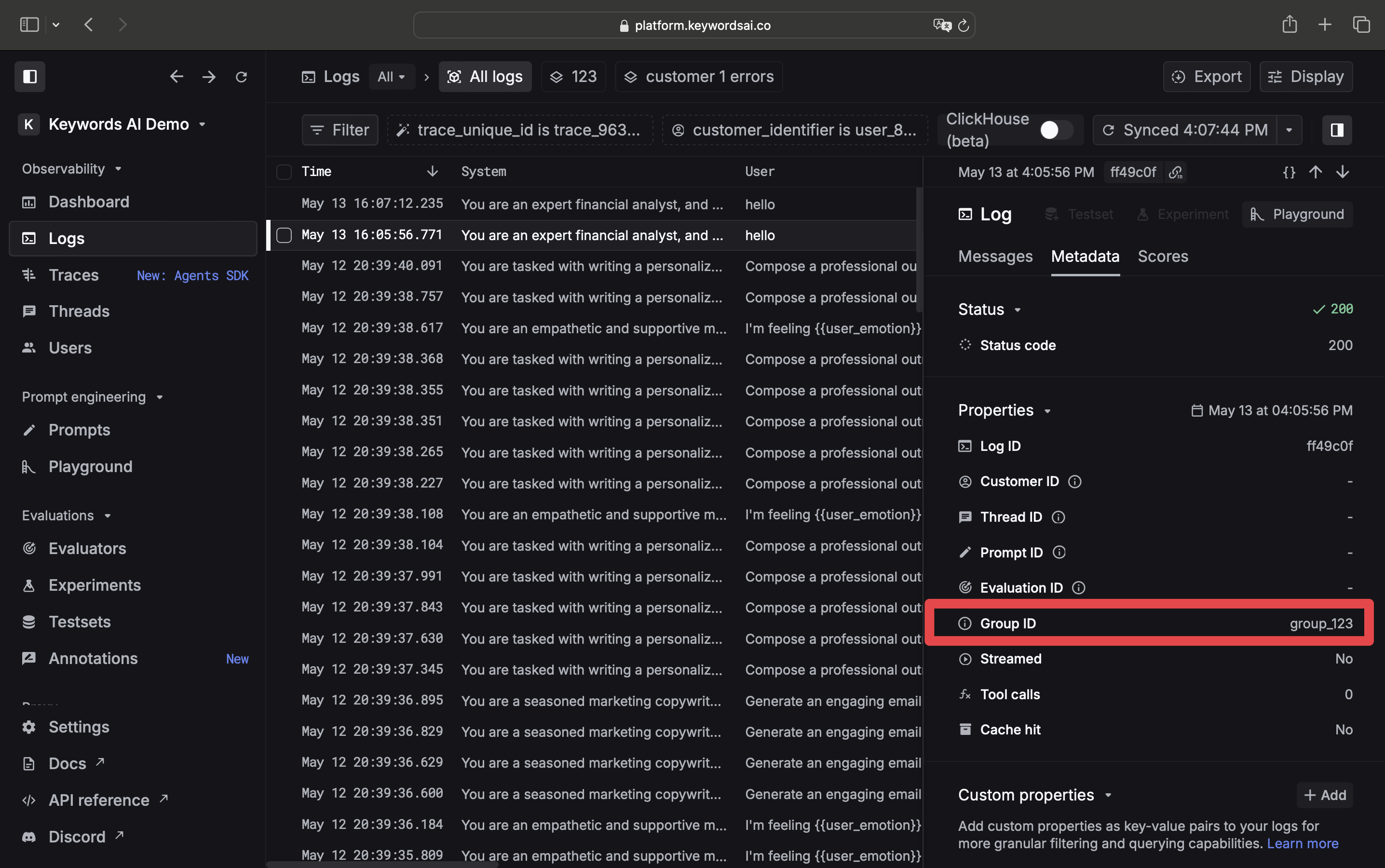
group_identifier parameter in the request body. This is useful when you want to group logs together for a specific user or a specific task.
How to group logs?
You can group logs by using thegroup_identifier parameter in the request body.
- AI gateway
- Logging API
from openai import OpenAI

client = OpenAI(
    base_url="https://api.keywordsai.co/api/",
    api_key="YOUR_KEYWORDSAI_API_KEY",
)

response = client.chat.completions.create(
    model="gpt-4o-mini",
    messages=[{"role":"user", "content":"Tell me a long story"}],
    extra_body={
        "group_identifier": "group_123"
    }
)
import { OpenAI } from "openai";

const client = new OpenAI({
  baseURL: "https://api.keywordsai.co/api",
  apiKey: "YOUR_KEYWORDSAI_API_KEY",
});

const response = await client.chat.completions
  .create({
    messages: [{ role: "user", content: "Say this is a test" }],
    model: "gpt-4o-mini",
    // @ts-expect-error
    group_identifier: "group_123",
  })
  .asResponse();

console.log(await response.json());
import requests
def demo_call(input,
              model="gpt-4o-mini",
              token="YOUR_KEYWORDS_AI_API_KEY"
              ):
    headers = {
        'Content-Type': 'application/json',
        'Authorization': f'Bearer {token}',
    }

    data = {
        'model': model,
        'messages': [{'role': 'user', 'content': input}],
        "group_identifier": "group_123"
    }

    response = requests.post('https://api.keywordsai.co/api/chat/completions', headers=headers, json=data)
    return response

messages = "Say 'Hello World'"
print(demo_call(messages).json())
import requests

url = "https://api.keywordsai.co/api/request-logs/create/"
payload = {
    "model": "claude-3-5-sonnet-20240620",
    "prompt_messages": [
        {
            "role": "user",
            "content": "Hi"
        },
    ],
    "completion_message": {
        "role": "assistant",
        "content": "Hi, how can I assist you today?"
    },
    "group_identifier": "group_123"
    # ... other parameters
}
headers = {
    "Authorization": "Bearer YOUR_KEYWORDS_AI_API_KEY",
    "Content-Type": "application/json"
}

response = requests.request("POST", url, headers=headers, json=payload)
const url = 'https://api.keywordsai.co/api/request-logs/create/';
const headers = {
    'Authorization': 'Bearer YOUR_KEYWORDS_AI_API_KEY',
    'Content-Type': 'application/json'
};

const payload = {
    model: 'claude-3-5-sonnet-20240620',
    prompt_messages: [
        {
            role: "user",
            content: "Hi"
        },
    ],
    completion_message: {
        role: "assistant",
        content: "Hi, how can I assist you today?"
    },
    group_identifier: "group_123"
    // ... other parameters
};

fetch(url, {
    method: 'POST',
    headers: headers,
    body: JSON.stringify(payload)
})
.then(response => response.json())
.then(data => {
    console.log(data);
})
View grouped logs
Once you attach agroup_identifier to a request, you can view those logs in Logs.