Documentation Index
Fetch the complete documentation index at: https://docs.keywordsai.co/llms.txt
Use this file to discover all available pages before exploring further.
What is Threads?
Threads are conversation groupings for chatlogs. You can easily track multi-turn conversations by passing in a Thread ID when logging.
You will love it when you want to:
- Track multi-turn conversations.
- Check the whole conversation history instead of a single log.
Quick start
In your API payload, pass thread_identifier to group the chatlogs into a thread. Every log with the same thread_identifier will be grouped into the same thread.
payload = {
"model": "gpt-4o-mini",
"messages": [{"role": "user", "content": "Tell me a long story"}],
"thread_identifier": "thread_id"
}
The Thread feature allows you to group related chat logs together by using a common thread_identifier. This approach is particularly useful for conversational AI applications, as it organizes chat history into a single thread.
OpenAI Python SDK
OpenAI TypeScript SDK
Standard API
Other SDKs
from openai import OpenAI
client = OpenAI(
base_url="https://api.keywordsai.co/api/",
api_key="YOUR_KEYWORDSAI_API_KEY",
)
response = client.chat.completions.create(
model="gpt-4o-mini",
messages=[
{"role": "user", "content": "Tell me a long story"}
],
extra_body={
"thread_identifier": "the_first_thread"
}
)
To implement threading in the OpenAI TypeScript SDK, add the thread_identifier parameter to your request. Note: You’ll need to include // @ts-expect-error before the thread_identifier field to handle TypeScript type checking.import { OpenAI } from "openai";
const client = new OpenAI({
baseURL: "https://api.keywordsai.co/api",
apiKey: "YOUR_KEYWORDSAI_API_KEY",
});
const response = await client.chat.completions
.create({
messages: [{ role: "user", content: "Say this is a test" }],
model: "gpt-4o-mini",
// @ts-expect-error
thread_identifier: "the_first_thread"
})
.asResponse();
console.log(await response.json());
import requests
def demo_call(input,
model="gpt-4o-mini",
token="YOUR_KEYWORDS_AI_API_KEY",
):
headers = {
'Content-Type': 'application/json',
'Authorization': f'Bearer {token}',
}
data = {
'model': model,
'messages': [{'role': 'user', 'content': input}],
'thread_identifier': "the_first_thread"
}
response = requests.post('https://api.keywordsai.co/api/chat/completions', headers=headers, json=data)
return response
messages = "Say 'Hello World'"
print(demo_call(messages).json())
We also support adding credentials in other SDKs or languages, please check out our integrations.
Go to Threads
There’s a Threads page on the platform where you can view all the threads you’ve created.
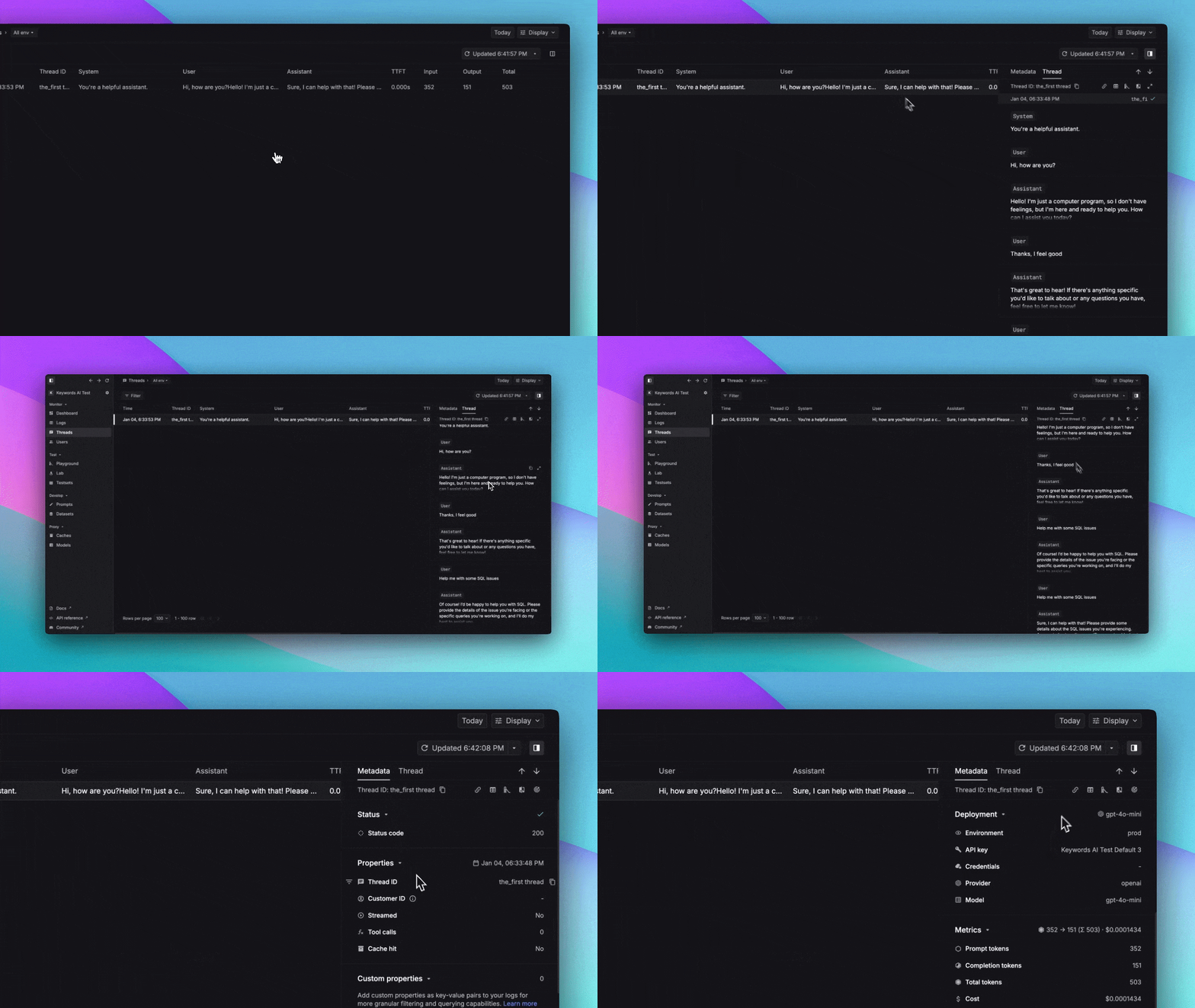
Open a Thread in Logs
To view the detailed logs within a thread:
- Click the
Open in Logs button in the side panel to access the thread’s complete log history.
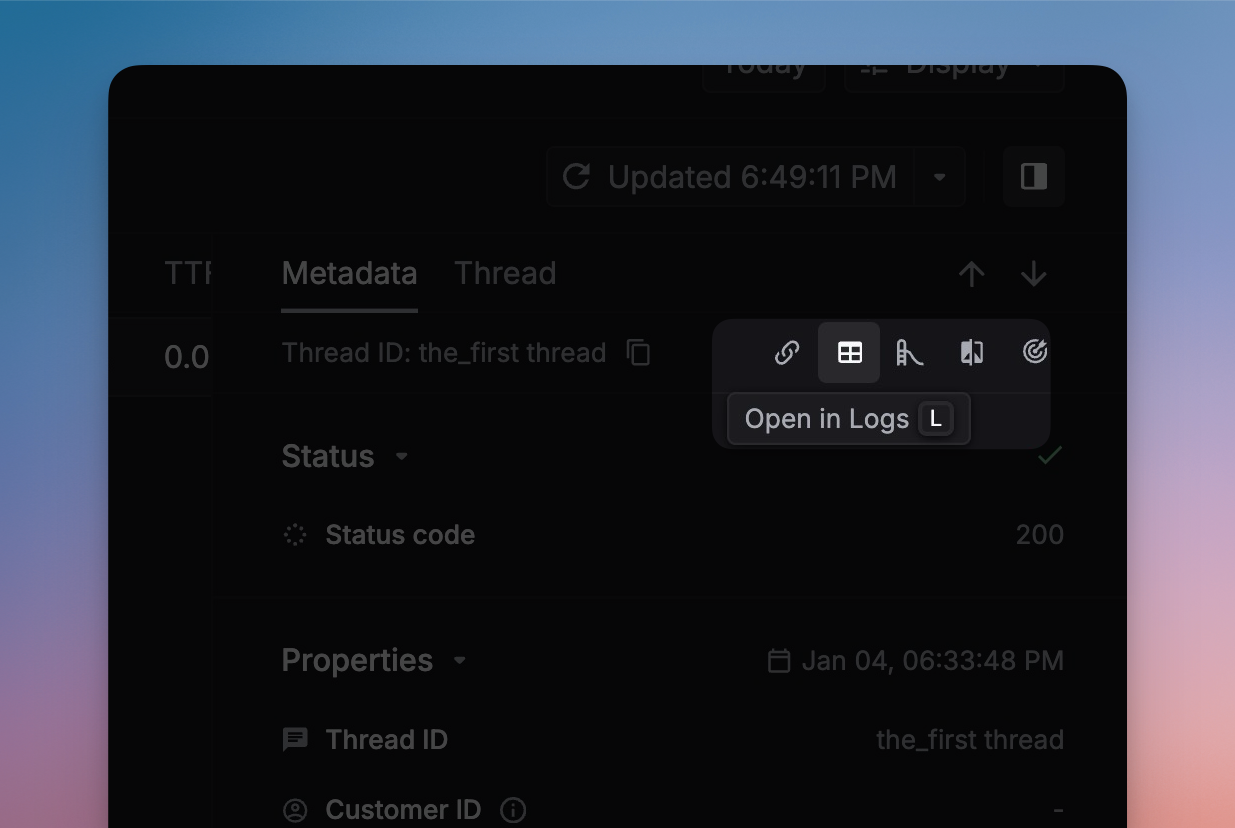
- Browse through all logs associated with the thread. Select any individual log entry to view its complete details.