

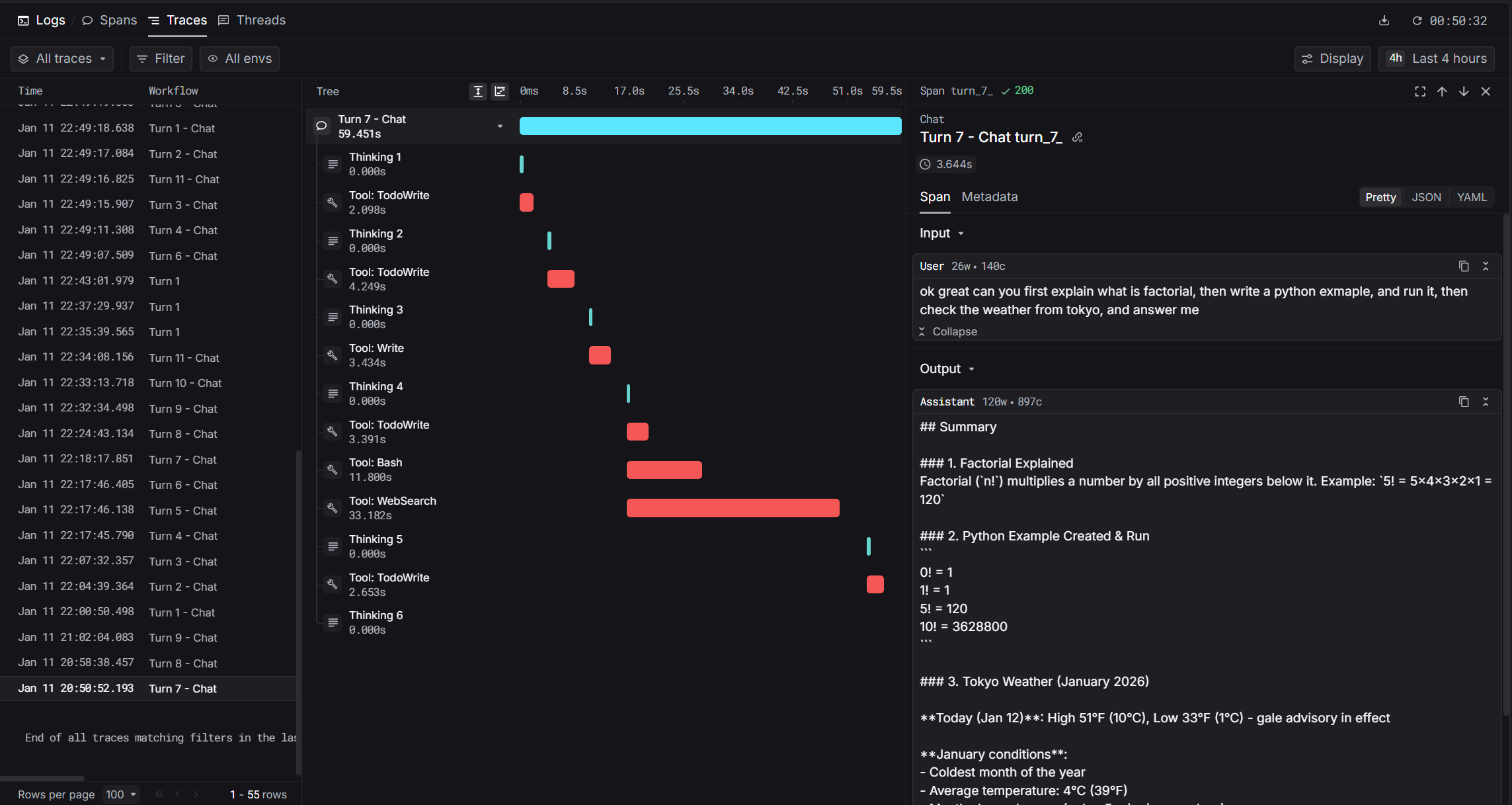
How It Works
Claude Code stores conversation transcripts as JSONL files. Our integration uses theStop hook to parse these transcripts and send structured traces to Keywords AI.
Prerequisites
- Claude Code installed (
npm install -g @anthropic-ai/claude-code) - Keywords AI API key
- Python 3.8+ with
requestslibrary
Installation
1. Set Environment Variables
Add these to your shell profile (.bashrc, .zshrc, or PowerShell $PROFILE):
2. Download the Hook Script
Download the hook script to your Claude Code hooks directory:3. Configure Claude Code Settings
Add the hook to your Claude Code settings at~/.claude/settings.json:
If
settings.json already exists, merge the hooks section with your existing configuration.4. Enable Per-Project (Optional)
To enable tracing for specific projects, create.claude/settings.local.json in your project directory:
Captured Data
The integration captures rich metadata from Claude Code transcripts:Span Types
Trace Fields
Debugging
Check the log file for issues:State File
The hook tracks processed turns in~/.claude/state/keywordsai_state.json: