

 Mem0 is a self-improving memory layer for LLM applications, enabling personalized AI experiences that save costs and delight users.
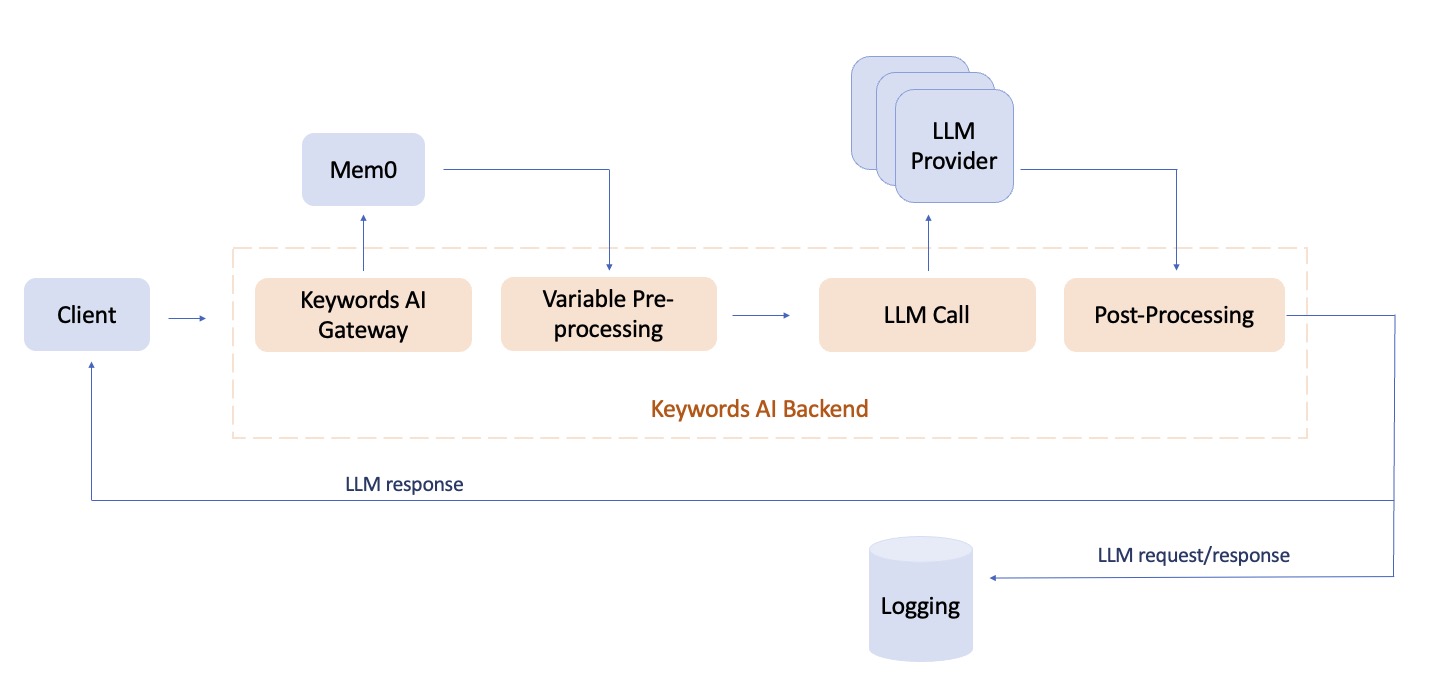
Mem0 + Keywords AI provides a powerful combination for building AI applications that can remember user interactions over time and get complete LLM observability.
Check out the Mem0 documentation for more information.
Mem0 is a self-improving memory layer for LLM applications, enabling personalized AI experiences that save costs and delight users.
Mem0 + Keywords AI provides a powerful combination for building AI applications that can remember user interactions over time and get complete LLM observability.
Check out the Mem0 documentation for more information.
Quickstart
Prerequisites
Add memory with Mem0 SDK
Install the Mem0 Python clientPython
Add memory with OpenAI SDK
Currently we only support adding memory to your AI products using the OpenAI SDK integration. Once you integrate Keywords AI gateway with the OpenAI SDK, you can add memory to your AI product by following the code example below.OpenAI Python SDK
messages will be added to the memory and the query will be used to search the memory.
Add memory through Keywords AI SDK
We recommend using the Keywords AI SDK for better type checking and autocomplete. Install the Keywords AI SDKKeywords AI Python SDK
Search memories
Once you pass the params likemem0_search_memories_response and mem0_add_memories_response to your prompt, you can view the responses in the side panel of Logs page.
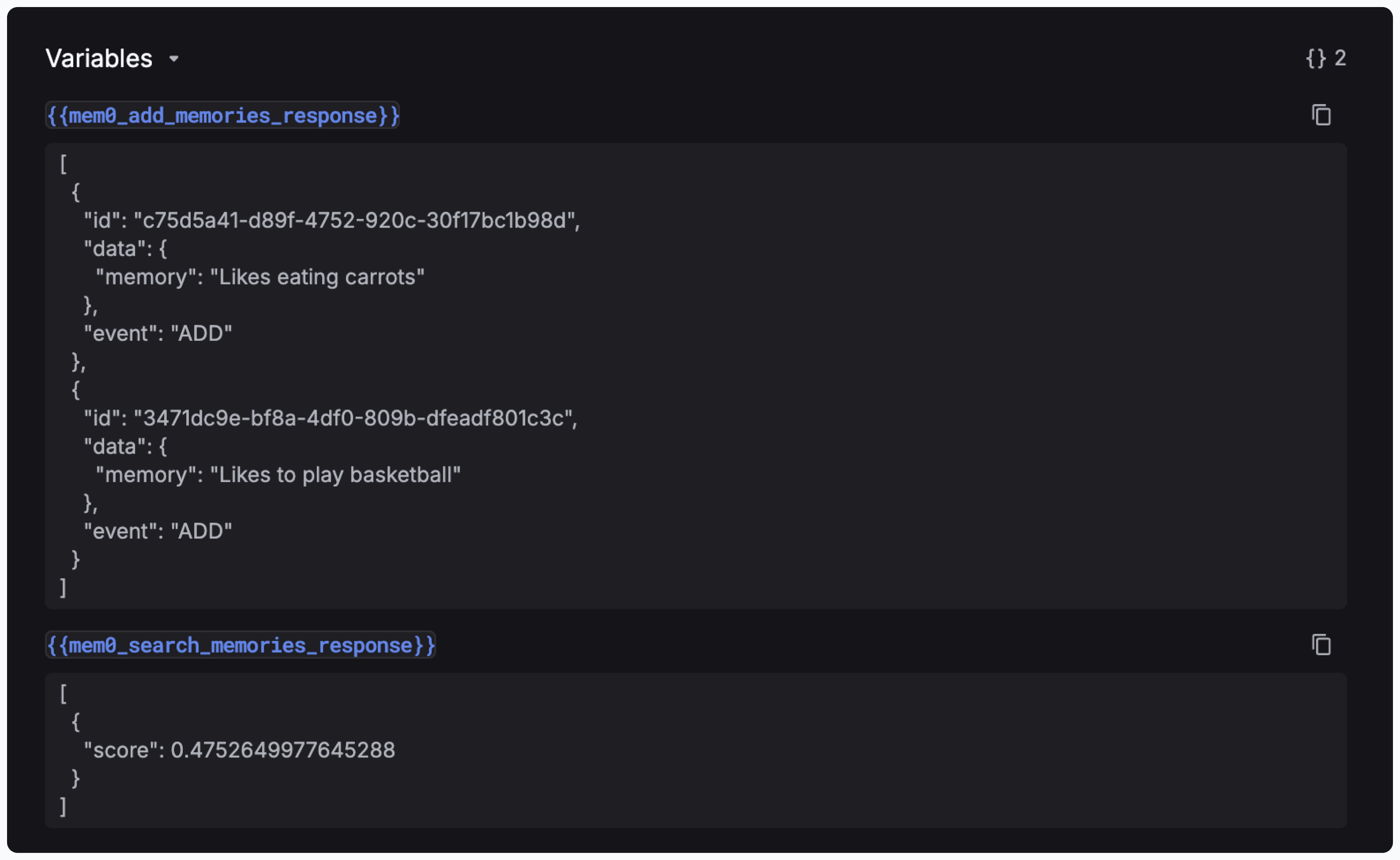
search_memories parameter in the Mem0Params object.
Python