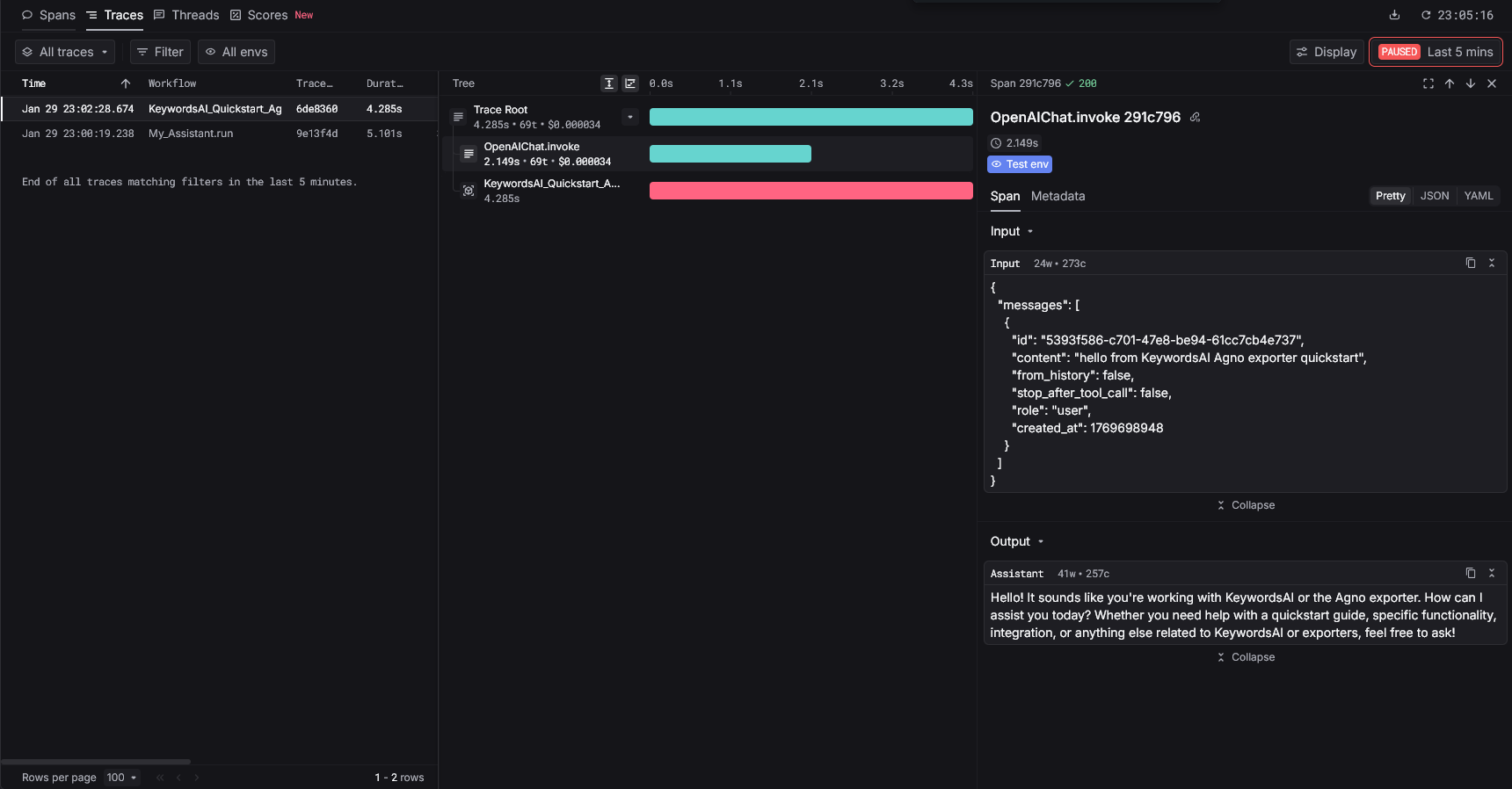
Make sure you have an OpenTelemetry
TracerProvider with a SpanProcessor configured before running your agent (otherwise spans will not be exported).Overview
Use the Keywords AI Agno exporter to capture Agno spans (via OpenInference + OpenTelemetry) and send them to Keywords AI tracing.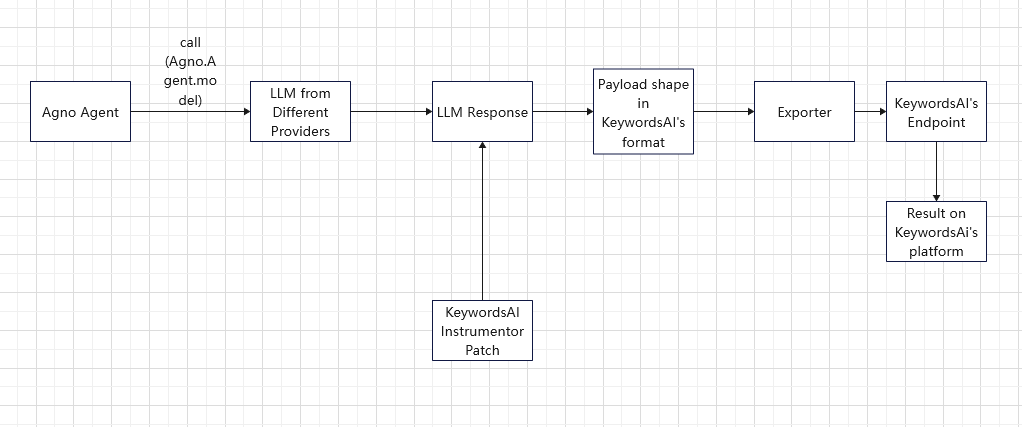
Quickstart
Step 1: Get a Keywords AI API key
Create an API key in the Keywords AI dashboard.Step 2: Install packages
Step 3: Set environment variables
Create a.env or export environment variables:
.env
Step 4: Instrument + run an agent
This quickstart:- configures an OpenTelemetry
TracerProviderand aSpanProcessor(required to export spans) - instruments Agno spans (OpenInference)
- exports Agno spans to Keywords AI tracing ingest
- routes LLM calls through the Keywords AI gateway